
A practical guide
Video SEO Best Practices for Short-Form Content
I build software that turns a product page into a short vertical video and into an article a person can read. This page is the video half of that work: how a short clip gets a title, a caption, a thumbnail, and a place on the web where a search engine can actually see it. I do not promise that a Short, a Reel, or a TikTok will rank, and I do not promise that Google will feature the clip in an AI Overview.
Short-form video SEO is two jobs that people collapse into one. The first job is the network: YouTube Shorts, Instagram Reels, TikTok, and Facebook each have a feed, a caption field, and their own idea of what to show next. The second job is your website: a watch page, a thumbnail Google can fetch, and text that says what the video says. Doing the first job and skipping the second means the clip can travel on social apps and still be invisible in Google Search. Doing the second job with a video nobody would watch is a file on a server.
The practices below come from Google’s public video documentation, YouTube’s own help pages, and the W3C’s caption guidance. Where a platform has not published a rule, I do not invent one. Where a number would make this page sound more certain than the source, I leave the number out.
Why short videos matter for SEO
Google Search has video features. A results page can show a video when Google has indexed a watch page and then indexed the video on it. That is the practical reason a business should care about video SEO at all. A clip that only exists inside a phone app can still be useful for the people who open that app. It is not, by itself, a Google result. Google’s video SEO best practices separate those two facts. The watch page has to be indexed. The video has to be embedded on that page, visible rather than hidden behind something else, and paired with a valid thumbnail at a stable URL. An indexed page does not mean the video is indexed. Google also says the watch page needs to be performing in Search before the video is considered for indexing. A brand-new URL with a player on it is a candidate, not a placement.
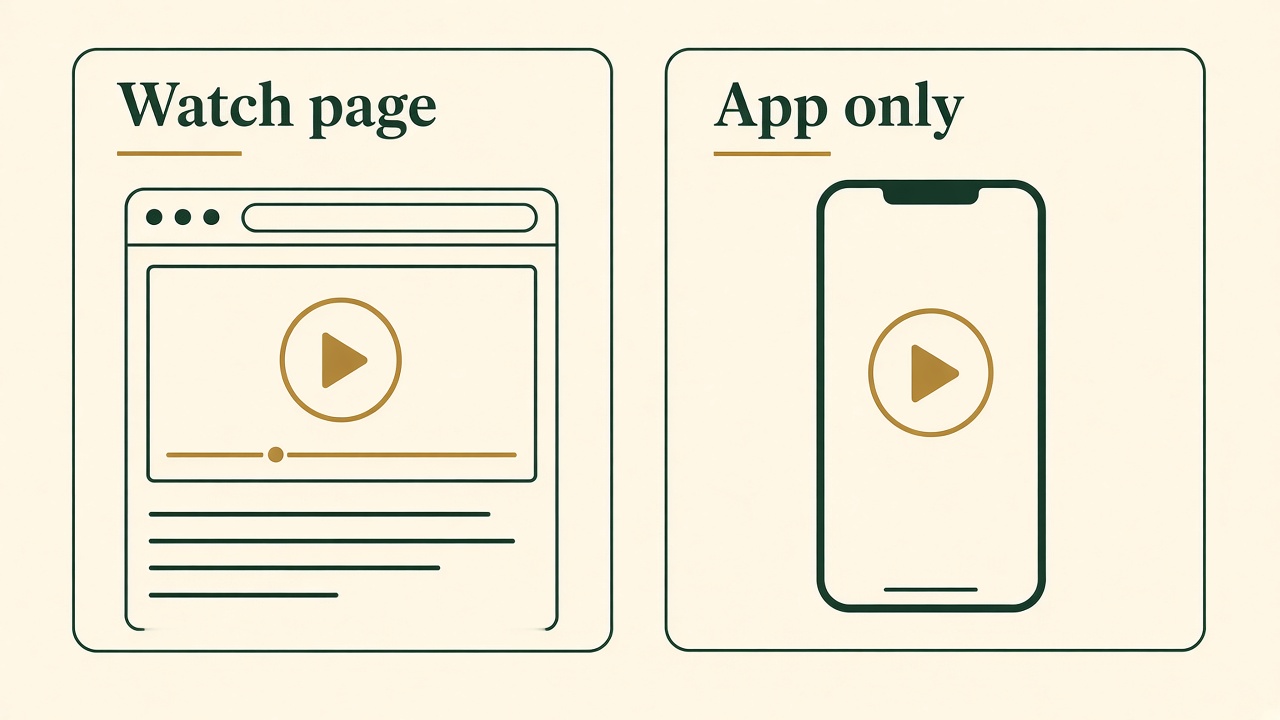
A watch page, not only an app
Google indexes a video that is embedded on a public page, with text around it and a stable thumbnail. A clip that lives only inside an app is a different surface.
Short video matters for a second, plainer reason. A customer often understands a product by seeing the step, not by reading a feature list. A scheduling product is a good example of the kind of fact that fits a short clip: who assigns the next action, and what happens on screen when an appointment moves. The article can carry the conditions and the exceptions. The clip can carry the one moment a buyer needed to see. Search still needs the article, because a 20-second picture cannot hold every limit. The clip gives the article something worth clicking when a video result, or a social post, is the first thing the person meets.
Social distribution is the other half, and it is not a substitute ranking. A vertical clip can be posted where your buyers already scroll. That can put the product in front of people who will never type the query. It can also send a person back to the page if the caption includes a real next step. “Social buzz” is not a metric I will pretend to own. I will say only that a short video is a distribution format and a search object, and you should know which one you are working on before you change a title.
None of this is a reason to publish clips instead of pages. Google’s video rules assume a page. YouTube’s search rules assume a title and a description that match the video people then choose to watch. A folder of untitled vertical files does neither job. The work is to make one clip that states one true thing, put words around it, and give Google a page where those words and that file agree.
Platform differences
YouTube Shorts, Instagram Reels, TikTok, and Facebook Reels are all short and vertical. That similarity is why teams export one file four times and call it a strategy. The discovery systems are not the same, and Google Search is a fifth system that may never see the in-app copy.
YouTube is both a social feed and a search index you can reason about from public help pages. YouTube’s search and discovery notes for Shorts say the system has no preferred type of Short and does not favor a particular format. Shorts are ranked on performance and on the viewer. The system looks at what that person has watched and searched, which topics they return to, and which sounds they have engaged with. When a Short is offered, YouTube looks at whether the viewer chooses it, how long they stay, the average percentage viewed, likes, and post-watch feedback. Search is called out separately: results depend on how well the metadata matches the query, and on whether people click and watch. A Short can therefore be a YouTube search result and a Google Search result, because the watch page is public, and still fail in the Shorts feed if people skip it. Those are different scoreboards.
TikTok is a separate app with its own For You feed, its own caption field, and its own sounds. A tactic that is true for a YouTube title does not automatically transfer. Write the caption so it states the fact in the clip, and use a hashtag only when it names that fact. Do not treat a tag as a way to buy distribution. Google Search will not see that caption unless the video also lives on a page Google can fetch.
Instagram Reels and Facebook Reels are distribution surfaces with their own captions, covers, and accounts. A Reel is discovered by people who open that app. Google’s video requirements still ask for a watch page Google can index, a visible player, and a thumbnail it can fetch. A clip that exists only as a Reel does not automatically satisfy that. If the Instagram or Facebook URL is behind a login, or is not a page where the video is the thing a crawler can play, it is a weak candidate for a Google video feature. The honest answer to “does Google index Instagram Reels?” is that Google indexes videos it can reach under its published rules. A Reel is not granted an exception, and it is not granted a place in Search because the word Reel is in the caption.
The practical split I use is simple. One vertical file can go to Shorts, Reels, TikTok, and Facebook when the picture is the same and you rewrite the caption for the box you are posting into. The website gets the watch page, the transcript, and the link back. LinkedIn and X are not the same slot: in the workflow I ship, those two receive a text post, not the short video. Treating every network as a video upload will post the wrong object to the wrong place. How those formats stay one fact is the subject of the cross-channel content workflow.
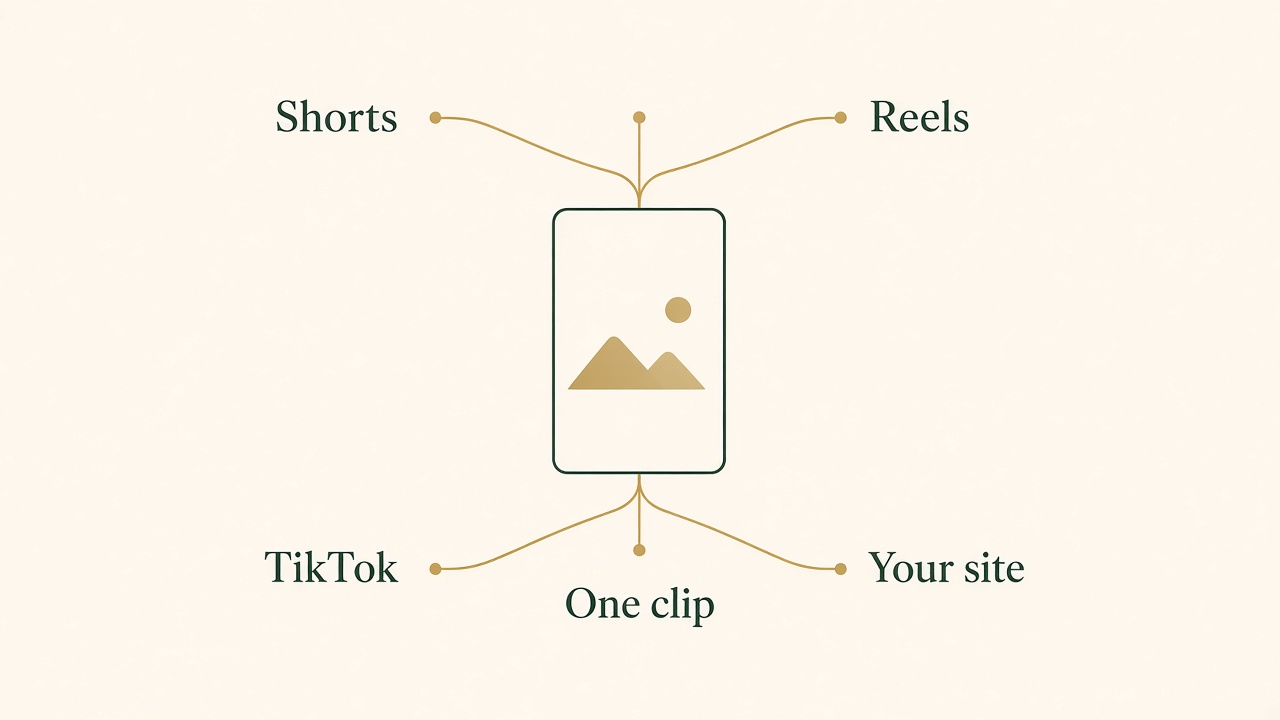
One clip, four different places
The picture can be shared. The caption, and whether the site has a real watch page, still has to be decided for each place.
Optimizing titles and captions
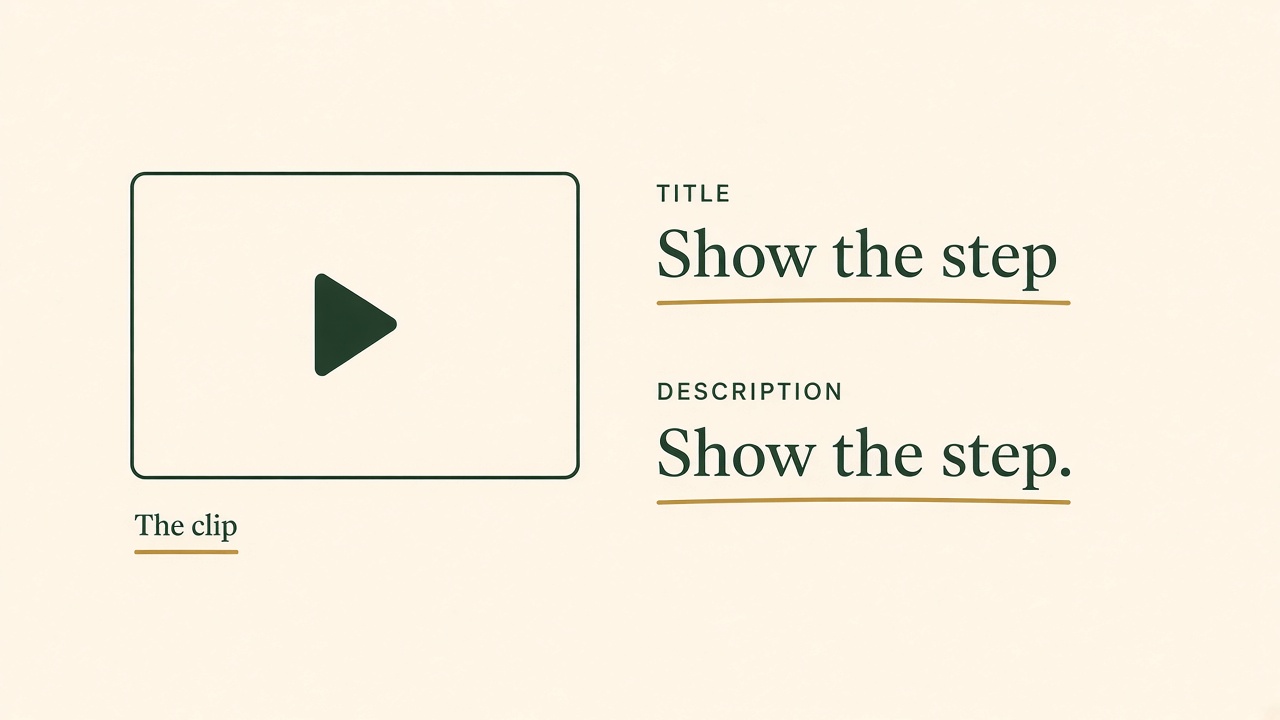
The title and the description name the clip
YouTube search looks at whether the metadata matches the query and whether people then click and watch. The words should describe the picture, not a different promise.
A title is a promise about the next few seconds. On YouTube, search ranking uses that promise. The Shorts documentation says search looks at how well the metadata matches what the viewer typed, and then at whether they click and watch. A title that names the product and the moment will match more honestly than a title that borrows a trend. “What happens when the appointment moves” is a title. “You won’t believe this scheduling hack” is a title that YouTube’s own misleading-metadata rules are built to distrust. Accurate is not a style preference. It is how a person, and the search system, decide the video was what they asked for.
Put the customer’s words in the title once, as a description of the clip, not as a list of synonyms. If the clip shows a reminder being assigned, the words “assign a reminder” can live in the title. A second phrase belongs there only if it is the same fact. YouTube’s Shorts search guidance, linked above, treats a match between the query and the metadata as one factor, and then looks at whether people click and watch. I put that same topic in the first lines of the description, because that is the text a person sees before they expand it, and I write a new description for each clip. A unique description is not a rewritten adjective. It is what is on screen, who it is for, and where the longer explanation lives.
Captions in the social sense are the words under the video, in the post, not the burned-in subtitles. Those two are different fields and people name them both “captions.” The post caption is the sentence next to the clip. Write it so a buyer can read it with the sound off and still know the claim. Then add the hashtag that names the topic, not a pile of tags you saw on someone else’s viral clip. If the sentence and the picture disagree, fix the sentence. A clever hook that implies a feature you do not have is a support problem, not a distribution win.
Hooks still have a job. The first line should be the situation, not the logo. For a product demo, that means opening on the moment the viewer recognizes, then showing the product doing the thing. A logo sting at the start spends the seconds in which a viewer decides to stay. I use that order in Vlozy because a short video has no room for a preamble. The hook is not a false cliffhanger. It is the fact, said early.
Keywords in titles and descriptions should be copied from the page you are willing to rank, not from a list generated in isolation. If the article’s heading is the question customers ask, the video title can be a shorter form of that question. If you invent a new phrasing for the video, you now have two ways to describe one feature, and the viewer who clicks through meets a different vocabulary. Pick the words on the product page. Repeat them. Stop.
Using hashtags and keywords
A hashtag is a keyword with a # in front of it. On YouTube it does a specific, limited job. YouTube’s hashtag documentation says hashtags connect your video with other videos that share the tag, and that viewers can open a results page for that tag. You can put them in the title or the description. Out of the hashtags in the description, up to three that YouTube considers most engaging can appear beside the title. The rest still sit in the description, and the video can still appear in search. That is influence of a narrow kind. It is not the Shorts ranking model. Shorts ranking remains performance and personalization. Search ranking remains the metadata match plus the click and the watch. A hashtag can help the match. It cannot make a skipped video into a watched one.
YouTube is explicit about abuse. Hashtags do not contain spaces. If you add more than 60 hashtags, YouTube ignores every hashtag on that video, and over-tagging can remove the video from search. Tags that are not about the video are misleading metadata, and misleading metadata can get the video removed. The same document warns against stuffing ordinary keyword lists into the description and calling them hashtags. So the answer to “do hashtags affect YouTube Shorts ranking?” is yes, they are part of the text YouTube can use, and no, they are not a lever you pull by adding more of them. Three relevant tags are a reasonable ceiling for the ones you hope will show beside the title. Sixty is the published failure line, not a target.
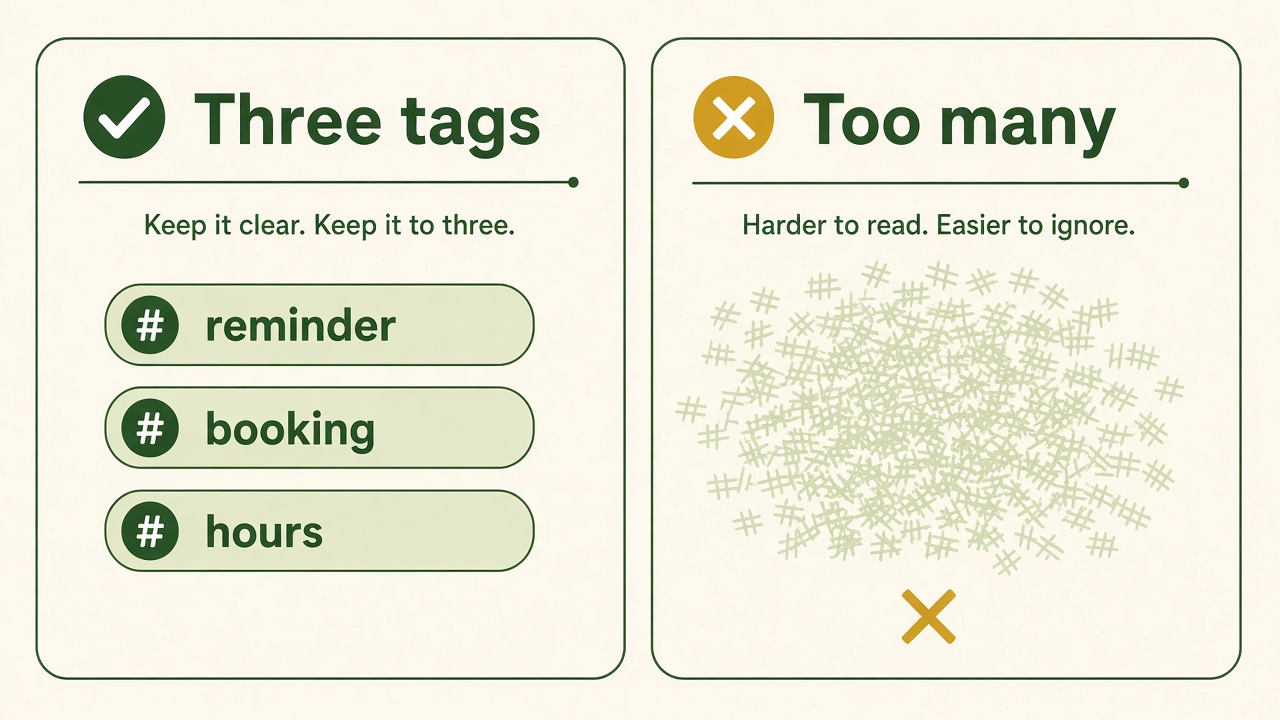
A few tags that name the clip
YouTube may show up to three description hashtags beside the title. More than 60 hashtags are ignored. The three words in the picture are an example, not a required set.
The same restraint applies on TikTok, without borrowing YouTube’s numbers. Use a hashtag that describes this clip, and do not append a template of tags to every upload. The caption should still make sense if you removed the # characters. A tag is not a purchase of distribution on that feed.
Keywords without the hash mark belong in the title, the description, the on-screen text, and the page that embeds the video. Use the product’s real nouns. A scheduling clip can say “reminder,” “appointment,” and “assign” if those are the words in the interface and on the help page. It should not say “AI calendar” unless that is what the product is. Repeating the keyword in every sentence is the old page-stuffing habit applied to a description field. YouTube matches the query to the title, the description, and the content. A description that is only a keyword list is the pattern its misleading-metadata rules already name.
Hashtags do not cross platforms cleanly. A tag that is a real search on TikTok may be noise on YouTube, and a YouTube tag may be meaningless in an Instagram caption. Write the tags when you write the caption for that post. Do not paste one tag string into four apps and call it consistency. Consistency is the product fact. The tag is local.
Captions and transcripts
Captions, in the accessibility sense, are not the post text from the previous section. The W3C’s Web Accessibility Initiative page on captions defines them as a text version of the speech and the non-speech audio someone needs in order to understand the content. They are synchronized with the audio and usually appear in the player when the person turns them on. If the video has no audio that carries meaning, captions are not required. If a person needs the words or the sound to understand the clip, prerecorded captions are a WCAG Level A requirement, not a marketing extra. That is the reason to add them even if you never thought about search. YouTube’s guide to adding subtitles and captions describes the same job: a timed text of what is said, so more people can follow the video, including people who are deaf or hard of hearing. Its automatic captioning help says those machine captions can mis-hear speech because of accents, noise, or pronunciation, and that you should review them and edit the lines that are wrong.
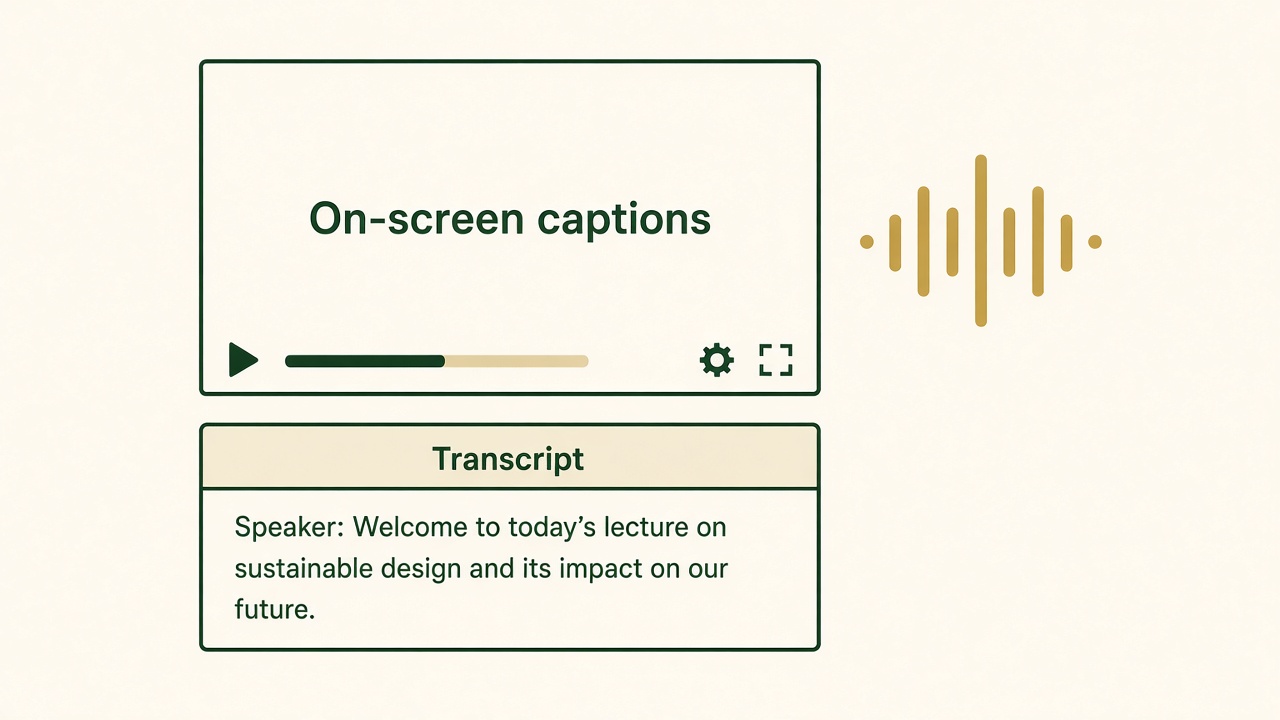
Words on the picture, and words in the HTML
Burned-in captions help when the sound is off. A transcript on the page is the text a person and a crawler can read. The sentence inside the drawing is only a placeholder.
Search has a related, narrower interest. Google reads text. A video file is much harder for a crawler to quote than a sentence on the page. A transcript under the player gives the page a written version of what is said. A caption track gives the player a timed version. Burned-in captions, the kind drawn onto the picture, help someone watching with the sound off in a feed, and they remain visible when a platform strips an uploaded sidecar file. They are not a substitute for a text transcript on your own site, because text baked into pixels is still, to a crawler, part of the picture unless you also write it out.
On a web page, the durable pattern is a video element with a track whose kind is captions, pointing at a WebVTT file. The track should include the dialogue and the sounds that change the meaning. A subtitle track that only translates speech can be the wrong object if a chime, a notification, or a second speaker is part of the point. W3C’s technique for the track element makes that distinction. For a product demo, the spoken line and the on-screen label should match. If the narrator says “assign” and the button says “delegate,” fix one of them before you caption the mismatch into the permanent file.
Automated captions are a draft. Speech recognition will miss product names, will hear “calendar” as “colander,” and will put the line on screen a beat late. Someone who knows the product has to read the track. I will not publish a caption file I have not read, and I do not recommend that you do. An AI transcript is useful because it is fast. It is not finished because it appeared.
A transcript also keeps the article and the video from drifting. Paste the spoken words under the embed, then edit them into sentences a person can read. Do not hide the transcript in an accordion that is closed for everyone including the crawler, and do not add a transcript that describes a different build of the product. When the appointment-move behavior changes, the clip, the burned-in line, the VTT file, and the paragraph have to change together. That is dull work. It is the work that keeps a video result from quoting a feature you removed.
Thumbnails and rich results
Google will not treat a video as indexed if it cannot fetch a thumbnail. The video best-practices page says the thumbnail must be valid and available at a stable URL. You can supply it as the poster on a video element, as video:thumbnail_loc in a video sitemap, as thumbnailUrl in structured data, or as the Open Graph video image. Pick a file that shows the frame you mean, host it where Googlebot is allowed to fetch it, and do not rotate the URL every time a CDN cache expires. A thumbnail that 404s is a video Google may never index, no matter how careful the title was.
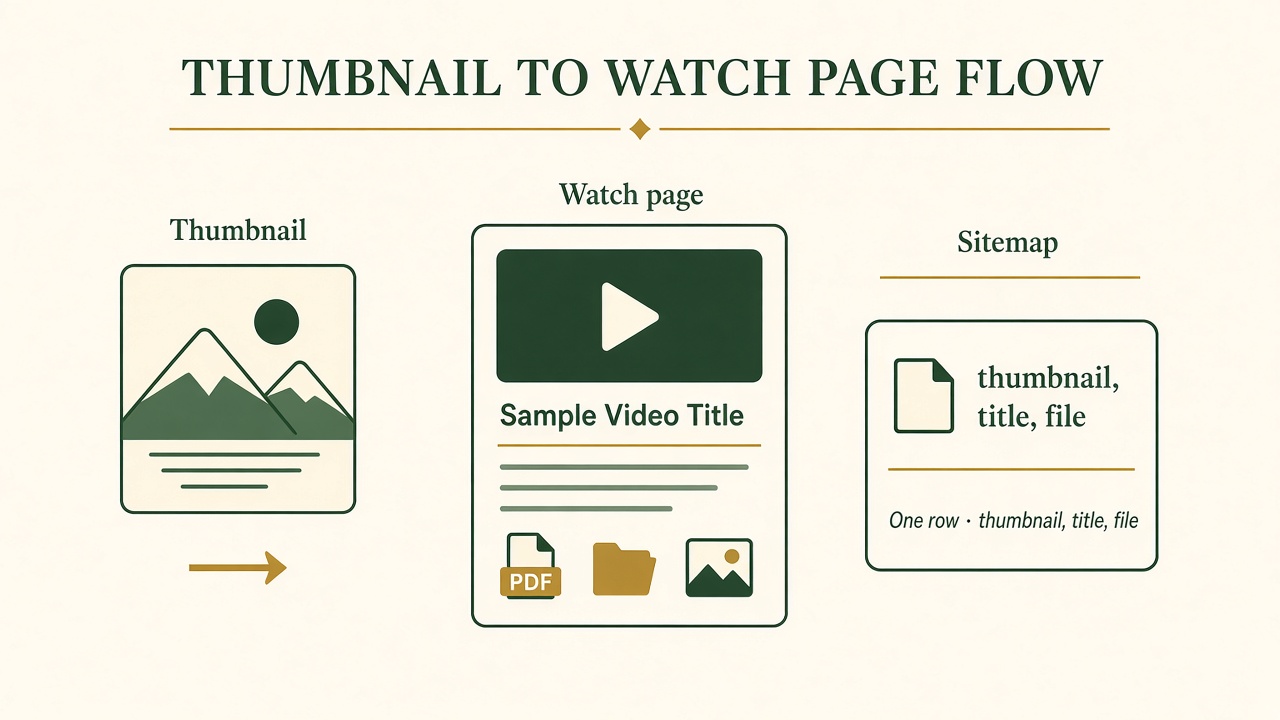
A stable image, a watch page, and one sitemap row
Google needs a thumbnail it can fetch. A video sitemap tells it the watch page, the title, and where the file or the player lives.
YouTube thumbnails are a separate surface. On Shorts, the feed is often the video itself, autoplaying, so the custom thumbnail matters more on surfaces that show a still image: search results, channel pages, and embeds. The still image should be a frame from the clip, with the claim readable. Text on a thumbnail that the video never says is the same misleading-metadata problem as a dishonest title. Faces, arrows, and giant words are a style. They are not a documented Google ranking factor, and I will not pretend a color grade will move a video feature.
Rich results for video come from being eligible, then from markup that matches the visible player. Google’s VideoObject documentation requires three properties: name, thumbnailUrl, and uploadDate in ISO 8601. The name and the description should be unique for each video. Google recommends contentUrl when you can provide it, because that is the most effective way for Google to fetch the actual video bytes. If you cannot provide the file URL, provide embedUrl, which must be the player, not the page that contains the player. Duration, creator, and a description are recommended. Markup for a video that is not watchable on that URL is called out as a bad experience. Do not mark up a marketing page with a VideoObject that points at a file the visitor cannot play there.
Key moments are a further step, not a default. Clip or SeekToAction markup needs a way to deep-link into the video, a VideoObject on the watch page, and a duration of at least 30 seconds. Two clips on the same page cannot share a start time. A 15-second social cut does not qualify for that Clip pattern. That 30-second line is why “best length for SEO” is the wrong question. Google has not published a best duration for ranking. It has published a minimum for one kind of segment markup. A short product clip can be the right length for a feed and the wrong length for key moments. Make the clip as long as the demonstration needs. If you later want chapter markers in Google, the file has to clear that 30-second structured-data minimum and expose a time offset in the URL.
This page does not include VideoObject for itself. There is no video file here. The block below is an example of the fields, with placeholder URLs, for a watch page you actually publish. Replace every value. Do not paste it onto a page that does not play the file.
{
  "@context": "https://schema.org",
  "@type": "VideoObject",
  "name": "Assign a reminder when an appointment moves",
  "description": "A short demo of assigning the next action after an appointment change.",
  "thumbnailUrl": "https://example.com/videos/reminder-thumb.jpg",
  "uploadDate": "2026-11-12T09:00:00+05:30",
  "duration": "PT0M22S",
  "contentUrl": "https://example.com/videos/reminder.mp4",
  "embedUrl": "https://example.com/videos/reminder/embed"
}
If the only copy of the clip is on YouTube, your page can embed that player and still describe the video in text. The embedUrl should be the YouTube player URL for that video, and the thumbnail should be a stable image. Do not point contentUrl at a YouTube watch page. Google’s field is the media file, or, failing that, the player. Mixing those up is a common reason a rich-result test fails while the video looks fine to you.
Embedding videos on your website
The watch page is the SEO object. Social posts are distribution. If you want Google video features, the clip has to be embedded on a page Google can index, and the player has to be visible without a click that hides it behind a tab, a consent wall you forgot to exempt, or a script that never runs for the crawler. Google’s best-practices page is direct about hidden video. A background video with no controls, or a player that loads only after a person interacts, is a poor candidate. A normal embed, high on a page whose main topic is the thing in the video, is the shape the documentation describes.
A video sitemap is how you tell Google which pages are watch pages, instead of hoping a crawler notices the file. Google’s video sitemap documentation follows the normal sitemap rules and adds video rules. Do not list a video that is unrelated to the page, or a clip that is a small aside. Every URL in the sitemap has to be fetchable by Googlebot: not blocked in robots.txt, not behind a login, not stopped by a firewall, and not served only through a streaming protocol. You must provide either video:content_loc or video:player_loc. Google recommends the content location, the file itself, as the most effective way to fetch the bytes. The player location is the fallback. You also provide the thumbnail, the title, and the description. A sitemap entry that points at a file your CDN blocks for anyone who is not a browser will not do this job. If you need to keep the file from being hotlinked, Google’s own note is to verify that the fetcher really is Googlebot, not to block all unknown clients and hope.
WordPress does not change those rules. A video block, a YouTube embed, or a self-hosted file in the media library can all be fine. They help only when the page is indexable, the player is in the HTML a crawler receives, the thumbnail URL stays valid, and you are not noindexing the post. A slider that injects the iframe after a JavaScript animation can look correct in a browser and empty in the first HTML response. View the page source, or the rendered HTML in Search Console’s URL inspection, before you assume the embed is visible. “Does video on WordPress help SEO?” is therefore a question about the page you published, not about the CMS.
Page experience still applies. A watch page that shifts the player around, autoplays sound, or covers the video with a newsletter modal is a page people leave. Google’s video docs already require the video not to be covered. You do not need a separate “video page speed” superstition. Make the player visible, the text readable, and the file a size your audience can load. A short clip is usually small enough that the page around it, not the video bitrate, is what feels slow.
One page, one primary video, is the clean version of this. A blog post can include a clip and still be an article. A sitemap should not declare that clip to be the page’s video if the video is a minor illustration and the page is really a 2,000-word guide. Google tells you not to list unrelated or incidental videos. If this guide embedded a decorative loop, I would not put that loop in a video sitemap. If a product page exists so a person can watch the demo, that page is the watch page, and the article can link to it.
Cross-promotion strategies
The article and the clip should send people to each other, using the same fact. The article answers the question in full. The clip shows the moment. The YouTube description’s first lines can name the moment and link to the article. The article can embed the clip or link the watch page above the fold of the section that the clip illustrates. The social caption can repeat the sentence and point at the article, not at a link shortener that hides the destination. That loop is the whole strategy. It is also the part teams skip when they schedule the video on Friday and the post on the following Tuesday with a different claim.
Cross-promotion is not posting the same caption six times. Each network gets the version of the sentence that fits the field: a YouTube title and description, a TikTok caption with one or two real hashtags, a Reel caption, a Facebook caption. The website gets the transcript and the embed. If you also publish on a network that does not take the video, write the text post from the same fact instead of uploading a file the product will reject or ignore. The reader should be able to move from any of those surfaces to the page and recognize the feature.
Internal links on your site do the same job for Google. The article links to the watch page with words that name the demo. The watch page links back to the article for the exceptions and the setup steps. A third page should not repeat the transcript in order to “cover the keyword.” One watch page is enough. Extra URLs with the same embed split the signals you just went to the trouble of putting in a sitemap.
Repurposing is this loop done on purpose. A long article becomes one short video, not ten videos that each steal a heading and add nothing. If a heading is a real second demonstration, it can be a second clip with its own title, thumbnail, and sitemap entry. If it is a caveat, it stays in the article. I have written about that choice as content repurposing: start from a page that already has a fact, and cut only the part that is clearer on video. The scheduling example in the next section is that cut, shown as a method. It is not a report of views.
Tools and automation
The manual version of this work is easy to describe and slow to repeat. You read the product page, write a hook, record or assemble a vertical demo, burn in captions, export, write a different caption per network, upload, then remember to embed the file on the site and add the sitemap fields. Missing the transcript or the thumbnail is the usual failure, not missing a secret tag. Automation is justified when it does those repetitive steps from the page you already trust, and when a person still checks the result. The product demo video guide stays on that demonstration itself.
Vlozy is the tool I built for that social half. It reads a public product page, opens on a situation rather than a logo, and prepares a 9:16 clip with a product demo, burned-in captions, and music. You get a caption per channel, and you can edit it before anything posts. Short videos can go to YouTube Shorts, Instagram Reels, TikTok, Facebook, Threads, and Pinterest. LinkedIn and X get a text post. Facebook can also take a separate text post beside a Reel when the account allows it. The line I care about is the one in the product: videos go to Shorts, Reels, and TikTok, and you still review the clip. See how Vlozy converts product pages into optimized clips.
Automation will cheerfully caption the wrong noun if the page it read is out of date. That is why the review step is part of the practice, not a courtesy. Play the clip with the sound off and read the burned-in line. Read the YouTube title against the article heading. Delete hashtags that are not about this video. Confirm the thumbnail URL you will put in the sitemap actually loads. A tool that publishes without that pass can move faster than you can correct a public mistake.
The article side is a different tool. BloGoose is where a team plans and drafts the page that the video will point at. I am not going to turn this guide into a tour of either product. The Growth Duo subscription for videos is the offer that pairs them, and the offer page is where the limits and the review duties are written. If you only needed the practices on this page, you can apply them with whatever editor you already have. If you want the website-to-clip path I described, look at the product, then at the subscription, and decide from those pages rather than from a slogan.
A short video from a BloGoose article, repurposed as Reels
This is a worked example, not a customer story and not a performance report. I am not going to invent views, watch time, or a brand that used the method. The shape is the one I use when a scheduling product needs both a help article and a short clip. The article is the kind of page BloGoose is for: one reader, one job, sources you can check. The clip is the kind of file Vlozy is for: one moment from that page, vertical, captioned, ready to review before it is posted to Reels and the other short-video networks.
Start with the article, not the editor. The reader is the person who schedules appointments and needs to assign a next action. The question is what happens when the appointment moves. The page has to say who can set the reminder, what the screen shows, and what does not happen automatically. Those sentences are the source of truth. If they are still being argued about, do not make the video yet. A clip cannot resolve a product argument. It can only repeat the version you approved.
Cut one moment. The hook is the situation: the appointment moved, and someone still has to own the follow-up. The next seconds show the product assigning that reminder. The spoken line uses the same verbs as the article. Burned-in captions repeat the spoken line so the Reel is understandable without sound, which is how a lot of people will meet it. The line is short enough to read. It does not introduce a second feature. If the article has an exception, the exception stays in the article, and the caption tells the viewer the full steps are on the page.
Write the post around that same sentence. The Reel caption states the fact and names the topic in a hashtag that matches the feature, not a generic productivity tag. The YouTube title is the short form of the article heading. The first lines of the description repeat the fact and link to the article. The TikTok caption states the fact in a sentence, plus one or two hashtags that describe this clip. Facebook gets the same picture and its own caption. LinkedIn gets a text post that states the fact and links to the article, because that network is not where this short video file belongs in the workflow I ship.
Then close the loop on the site. The article embeds the clip next to the section it illustrates, or links the watch page there. The transcript under the embed matches the audio. The watch page, if it is separate, has a stable thumbnail, a visible player, VideoObject fields that match the player, and a video sitemap entry whose content or player location Googlebot can fetch. The article does not get a second, incidental sitemap video entry if the embed is only an illustration and the real watch page is elsewhere. One primary video URL is easier to inspect when something fails.
Review is the last step and the one I will not automate away. Someone who knows the scheduler watches the Reel, reads the burned-in words, and opens the article link. If the button label changed last week, the clip waits. After publishing, the checks are ordinary: the YouTube watch page loads, the Reel plays, the sitemap URL returns the file, and Search Console eventually shows whether the watch page is indexed. I do not add a step called “confirm the AI Overview picked it up.” Google has not offered that confirmation, and this example does not pretend otherwise.
That is the whole case. A BloGoose-style article holds the question and the exceptions. A short Vlozy-style clip holds the moment. Reels, Shorts, and TikTok are where the moment is distributed. The website is where Google is invited to index a real watch page. No step asks you to publish a different video per app unless the fact itself changes.
Video SEO questions
How do you optimize videos for SEO?
Publish a watch page Google can index, embed the video where it is visible, and give it a stable thumbnail. Describe it with a title and on-page text that match the picture. Add VideoObject markup that matches the player, and a video sitemap entry Googlebot can fetch. On YouTube, match the title and description to the query and to the clip people will actually watch. Do each of those because the docs require them. Do not treat the list as a promise of a ranking or of a place in an AI Overview.
Do hashtags affect YouTube Shorts ranking?
They affect how your video connects to other videos and how viewers browse a tag. Up to three engaging hashtags from the description can show beside the title. Shorts ranking itself is performance and personalization: whether people watch, how much they watch, and whether the Short fits that viewer. Search also looks at the metadata match and at clicks. More than 60 hashtags are ignored. Unrelated hashtags can get the video removed. Use a few tags that name the real topic.
How do I improve TikTok visibility?
State the fact in the caption, and use a hashtag only when it names that fact. TikTok’s feed is not Google Search, and a YouTube title formula does not transfer. A tag is not a way to buy placement in the For You feed.
Does video on WordPress help SEO?
Only through the same rules as any other site. The page must be indexable, the player must be in the page Google fetches, and the thumbnail and media URLs must load for Googlebot. A video hidden in a slider or blocked by a login does not get a WordPress bonus. Check the rendered HTML if the player is added by a script.
What is the best length for SEO videos?
There isn’t a best length in Google’s video ranking guidance. Make the clip long enough to show the fact. Google’s Clip structured data is only for videos of at least 30 seconds, which is a markup minimum for key moments, not a target duration. Short-form apps have their own length limits, and those limits change, so check the app rather than a blog that quotes last year’s number.
How do I add captions for SEO?
Follow the W3C definition: synchronized text for the speech and the meaningful non-speech audio. On your site, use a caption track such as WebVTT and put a readable transcript in the page. Burned-in captions help in feeds where the sound is off. Review anything a speech model generated, especially product names. Captions are an accessibility requirement when the audio carries the meaning. The transcript is what makes that meaning available as page text.
Does Google index Instagram Reels?
Google indexes videos on watch pages it can fetch, when the page is indexed, the player is visible, and a thumbnail is available. A Reel inside Instagram is an Instagram post. It is not automatically a Google video result. Put a public copy on a page you control, or on YouTube, if Google Search is the goal, and meet the thumbnail and sitemap rules there.
What makes a video rank on YouTube?
YouTube says Shorts are not favored by format. They are ranked by how they perform for each viewer: the choice to watch, view duration, percentage viewed, likes, and later feedback, plus that viewer’s history. In search, the title, description, and content need to match the query, and people need to click and watch. A precise title helps the match. It does not replace the watch.
How do I use keywords in video titles and descriptions?
Use the customer’s words once in a title that states the real subject. Repeat the topic in the opening lines of a description that is unique to this video. Do not paste a keyword block. YouTube search compares that text, and the video itself, with the query. Keep the words aligned with the article you link to, so the click does not land on a different claim.
Is short video content effective for business SEO?
It is effective when the clip shows a true product moment, the text around it matches, and a watch page or a YouTube URL gives Google something to index. It is also a way to put that moment in Shorts, Reels, and TikTok. It is ineffective when the clips have no page, no thumbnail, and no reviewed caption. Short does not mean exempt from the video documentation.
Should I create separate videos for each platform?
No, unless the fact or the format changes. One reviewed vertical clip can go to YouTube Shorts, Instagram Reels, TikTok, and Facebook, with a caption written for each. Threads and Pinterest can take the short video in the same workflow. LinkedIn and X get a text post instead. Make a second video when you are demonstrating a different step, not because an app exists.
The practices on this page are free to use. If you want the path from a product URL to a reviewable short clip, see how Vlozy converts product pages into optimized clips. If you want the subscription that includes that video workflow, read the Growth Duo subscription for videos. The offer page states what is included. This guide does not add a promise that the clip will rank.
See how Vlozy converts product pages into optimized clipsYou still review the clip, the caption, and the page before they represent the product.