
A practical guide
Cross-Channel Content Workflow: Coordinating Blog, Video, and Social
A blog post, a short video, and a social caption can all come from one customer question. They should not be three unrelated projects that happen to use the same noun. A cross-channel content strategy is the plan that keeps the fact shared and the format specific. The article answers the question in full. The video shows one moment. The social post can be understood by someone who never opens the article. Each one is reviewed before it is public.
The rule I work by is to separate creation from review. A tool or a teammate can draft the article, the script, and the caption. A named person still checks the product fact and approves the asset. Creation and approval are not the same step, and they are not the same date. That is how a calendar stays honest when one format is ready and the other is not. I do not treat a generated draft as published work, and the offer I sell does not include an editor who will sign the page for you.
This page is the workflow between the formats. The closer look at why a blog calendar and a social calendar drift apart is already written as planning blog and social content from the same question. The mechanics of cutting one asset into another are on the content repurposing guide. Here I stay on the shared brief, the two dates, the roles, and the order from brief to publish. The scheduling example I use is illustrative: a team that does not want a follow-up to be missed after an appointment. It is not a customer report.
Why integrated planning matters
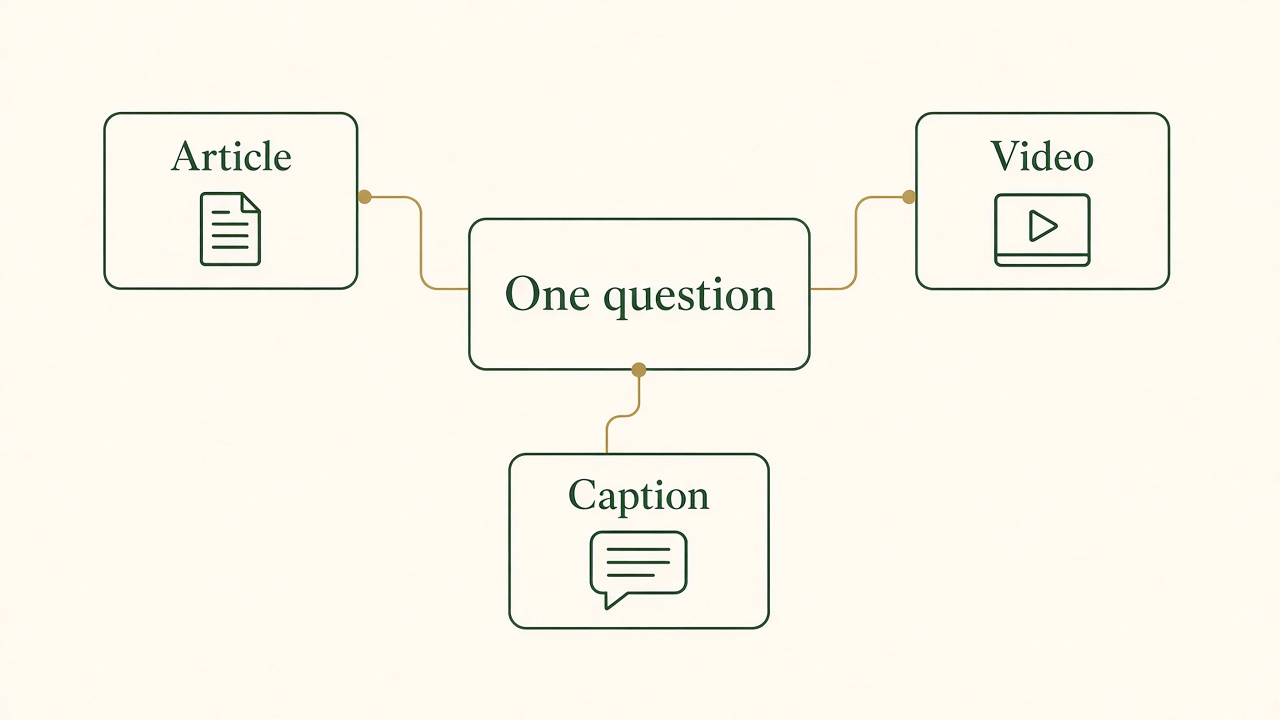
One question, three formats
The article, the video, and the caption start from the same question. They are not three separate campaigns that happen to share a noun.
Without a shared plan, the blog and the social accounts describe the same product in different weeks and sometimes in different words. The article says a follow-up has an owner and a due time. The clip says the reminder sends itself. Both sounded reasonable to the person who made them, because neither person was looking at the other’s source. Integrated planning exists to stop that. One question, one set of approved facts, and a visible note of which assets depend on those facts. Brand consistency here is not a color palette. It is the same meaning for “owner,” “due time,” and “sent.” How to write those meanings down so a draft does not invent a new name for the same thing is covered in the brand voice guide.
Duplication is the other failure. Two people research the same appointment problem and publish two pages that do not know about each other. Or the social team rewrites the article as a thread and adds a benefit the article deliberately left out because the product does not do it. A shared brief makes the second version a cut of the first, not a new invention. You still adapt the length. You do not adapt the truth. HubSpot’s guide to omnichannel experience makes the same distinction for a wider journey: customers should recognize the campaign, and teams do not have to publish identical creative on every channel. A social video, an email, and a landing page can differ in format and still share the offer, the position, and the voice. Copying one file everywhere is not consistency. It is how a caption written for a blog heading becomes nonsense in a vertical video.
It is worth separating three words that get used as if they were one strategy. Cross-channel, as I use it on this page, means the blog, the video, and the social posts are planned from one question. Multi-channel distribution, in HubSpot’s account of it, is about reach: put the work on several platforms and adapt length and style to each one, with the channels able to operate on their own timing. Omnichannel, in the experience article, is broader than a content calendar. It is a continuous customer journey, with context carried from one touchpoint to the next, including channels that are not content at all, such as support or a store. A founder can run a sound cross-channel content workflow and still not have an omnichannel data platform. I will not describe Vlozy or BloGoose as that platform. They help you make and queue the assets. They do not merge a support history with a social impression.
The practical cost of skipping the shared plan shows up as rework. The video is scheduled. The article it promises is not reviewed. The caption links to a draft URL. Someone unpublishes the clip, or the link 404s, or a customer quotes the caption against the help page. All of that is more expensive than a calendar row that said “clip waits for the article” or “article can ship without the clip.” Integrated planning is that row. It is not a second brand workshop.
Google’s SEO Starter Guide is a useful check on the article half of the plan, because the blog is the page a search engine can keep. The guide’s job, for this workflow, is modest: the article should be understandable on its own, with a clear topic, useful links, and text that matches what you want a stranger to find. The social post is not a substitute for that page. If the only explanation of the follow-up rule lives inside a clip, you have a distribution asset and no durable answer. Plan the article as the home of the question. Plan the other formats as doors into it, or as a single demonstration that does not pretend to be the whole answer.
A shared editorial calendar
An editorial calendar is the list of what will be published, when, on which channel, and by whom. HubSpot’s guide to editorial calendars defines it that way: a planning tool so nothing slips, especially when more than one person is creating or reviewing. For one blog, that can be a title and a date. For blog, video, and social together, a single date on a single title hides the work. The question needs one home. The article and the social clip need their own status underneath it.
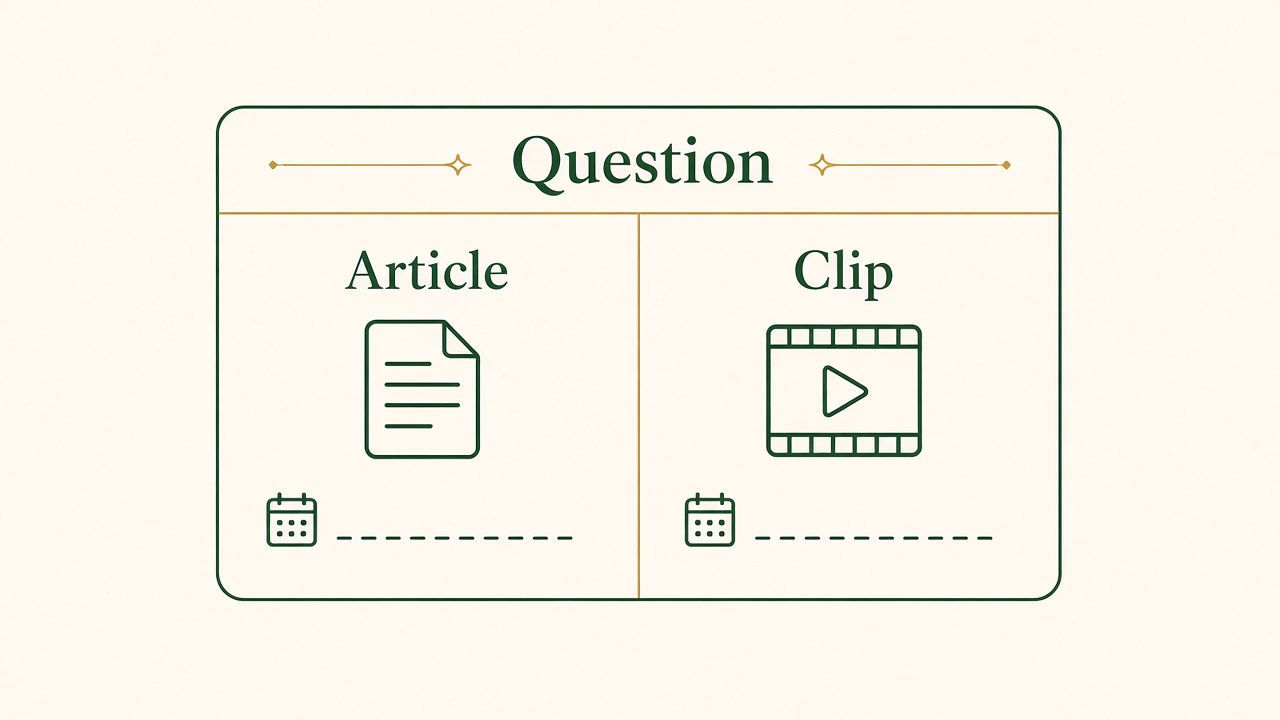
One question, two dates
The article and the clip share the question. Each keeps its own date line, because one format can be ready while the other is still in review.
The shared entry records the customer question, who it is for, the source you are allowed to use, and the product fact that must not be invented. In the appointment example, the question is how a team avoids missing a follow-up. The allowed fact is whatever the product actually does: an owner, a due time, a reminder that a person still checks. The entry names the person who can approve that fact. Under it, the article row tracks research, draft, and review. The social row tracks the clip, the caption for each network, and the date that network can go live. Those rows are allowed to move independently. Forcing them onto one deadline is how a late screenshot holds up a caption that was already true, or how a caption ships a claim the article is still correcting.
HubSpot’s content marketing plan lists the fields that make a calendar more than a list of ideas: a date, a working title, the format and channel, the funnel stage, the owner, a status, the action you want, and the URL once it exists. I would add one field the template can omit when it assumes a single asset: dependency. “Clip links to the article” means the article URL has to exist first. “Article can mention the clip if the clip is approved” means the article does not wait forever. Write the dependency in words a person can act on. “In progress” is not a status. “Ready for product review” is a status. “Held because the button label changed” is a status.
Dates should fit the work, not the mood of a launch. A short demonstration tied to a release may need to be out early, if the moment on screen is already true. An article that explains the exceptions can follow once the screenshots match production. If the clip’s caption promises the full guide, the guide is the predecessor and the clip waits. A founder who can review product claims only on one day of the week should see both outlines before that day, not the night before both assets are supposed to post. The calendar is also a record of reviewer capacity. A week with four items in “ready for review” and one reviewer is a week that will publish something unreviewed unless you move the dates.
Keep the calendar boring enough to use. At the end of the week, store the live URLs next to the brief and note what was held. When the product changes, the topic owner can see which article and which clip still assert the old step. That is the maintenance a cross-channel plan actually requires. A pretty board that nobody updates after publish is a launch decoration. The blog and social guide walks through this split in more detail, including how two owners can share evidence without waiting on each other’s ship date. Use that page if you are deciding the fields. Use this page if you are deciding the order of the whole workflow, including the video file and the approval.
Repurposing without changing the fact
Repurposing is how one reviewed fact becomes more than one asset. It is not a license to spin a new promise for each network. The appointment question becomes an article that explains who owns the follow-up, when it is due, and how someone confirms it was handled. It becomes a short product video that shows one visible change: an appointment with no next step, then the same appointment with an owner and a time. It becomes a caption that states that change in a sentence and points to the article for the exceptions. A later post can ask how people handle the problem today, or it can offer a checklist. Those are different jobs. They are still the same source.
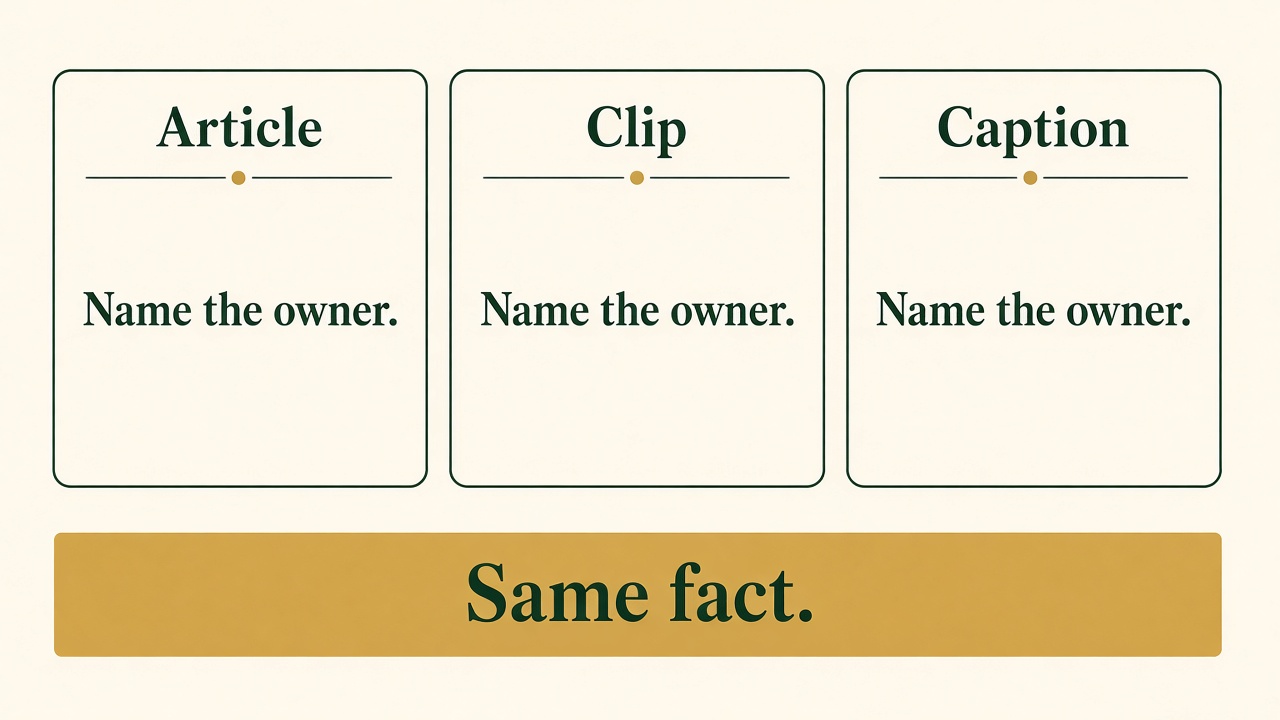
Same fact, three lengths
Each format can say “Name the owner.” None of them may change that fact to fit the channel that has less room.
Should you post the same content on all platforms? No. Post the same fact, cut to the platform. A blog can hold conditions, a reschedule case, and the links a reader needs. A vertical clip has a few seconds and is often watched without sound, so the words have to be on the picture and the action has to be visible. A feed caption has to make sense if the person never taps through. LinkedIn and X, in the publishing workflow I ship, receive a text post rather than the short video. Facebook can take the clip and, when the account allows it, a separate text post. Putting the identical caption, the identical file, and the identical headline on every network ignores those differences. It also creates duplication you then have to correct in six places when the product detail changes.
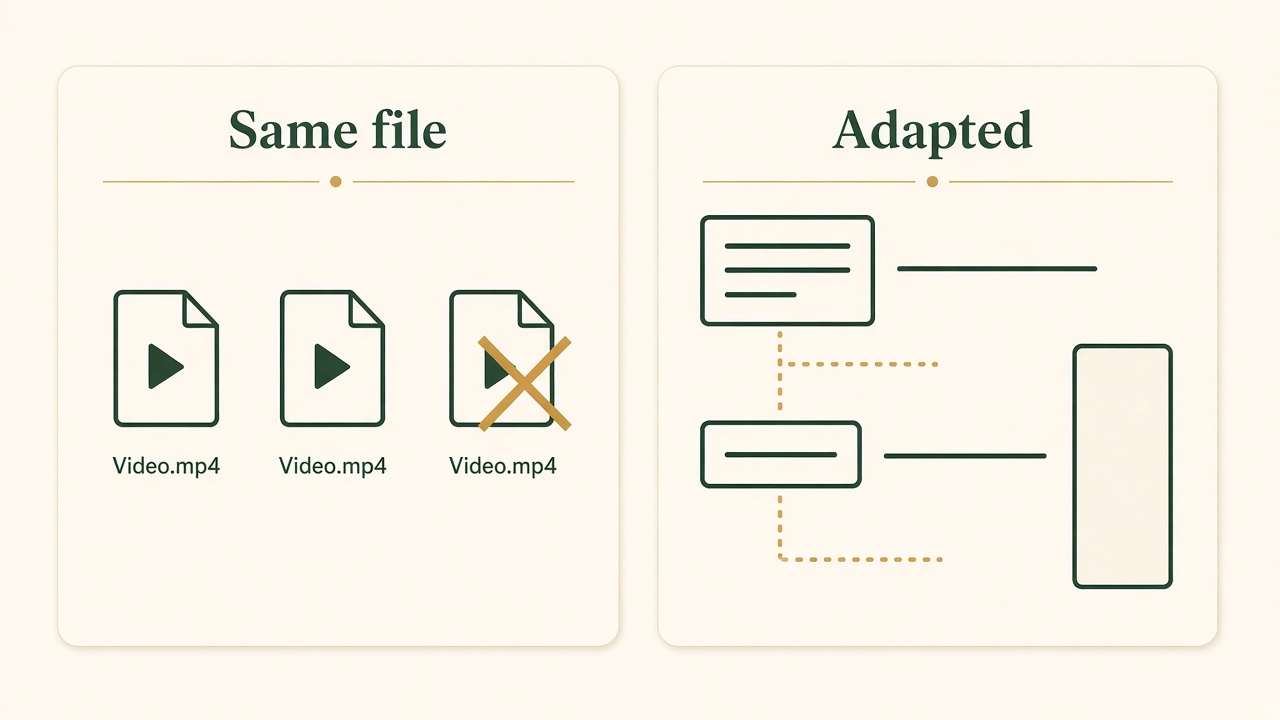
Adapt the cut, do not paste the file
The same video file on every network is not a cross-channel plan. A page, a short line, and a vertical frame are different cuts of one point.
The video has a further requirement the social caption does not. If you want the clip to be a page Google can index, it needs a watch page, a visible player, and a thumbnail Google can fetch. Google’s video best practices are about that page, not about a file that only exists inside an app. Google’s note on those video resources lists the practical checks in one place: a public page, VideoObject markup, a thumbnail, a video sitemap, and a file Google can fetch. Follow the current best-practices page when a detail there is more specific. A Reel or a TikTok can still be the distribution cut. The article, or a dedicated watch page, is the home if search is part of the plan. How to build that watch page, including the transcript and a stable thumbnail, is the video SEO guide. Repurposing that pretends the social upload replaced the page will look busy in the feeds and empty in Search. Decide which job the file has before you export it.
The order of the cut matters. Approve the fact, then cut. If you script the clip first and let the article “match it later,” the article inherits whatever the hook exaggerated. If you publish the article first and then ask for a video of a step the article never showed, the producer invents a screen. Start from the brief. Draft the article sections and the shot list from that brief in parallel if you have the people. Do not let either draft add a step the brief did not allow. The repurposing guide is the place for the cutting itself: what belongs in the long page, what belongs in the clip, and what should stay out of both. This workflow only insists that the cut happens after the fact is stable and before anyone treats a draft as live.
A third asset needs its own job or it is duplication. A follow-up post that repeats the caption is noise. A follow-up post that answers a question the clip received, or that lists the three checks a person can do without opening the product, is a new format of the same topic. Write the job on the calendar row before you write the copy. If you cannot name a job that is different from the article and the clip, do not make the asset. Cross-channel planning includes the decision not to post.
Tools and automation
The tools have to fit the rows on the calendar, not the other way around. You need a place that remembers the question, the article’s status, and the date. You need a place that can draft the article from the site and from notes you maintain. You need a place that can prepare the short clip and the per-channel caption, and that can hold them until a person says they may post. A single “marketing automation” slogan does not tell you which of those jobs is covered. Ask the narrower question.
BloGoose is the article side I built. It includes an editable content calendar for topics mapped to pillars and search intent, and it can research and draft from the site and from context files you can edit: voice, style, keywords, and product information. Scores on a draft are a readiness check. They are not the review, and they are not a ranking. What to read on a generated draft before it can stand for the product is the subject of the AI content quality guide. The calendar in the product is useful when it is the same list you actually publish from, with a status a person updates. A second spreadsheet that contradicts it is how the shared plan dies. If the tool’s calendar cannot represent “article approved, clip held,” keep the dependency in the place your team will look, and do not pretend the software invented a status it does not have.
Vlozy is the social side. It can turn a public product page into a vertical clip with a demo, burned-in captions, and music, and it can write a caption per channel for you to edit. Short videos can be queued to YouTube Shorts, Instagram Reels, TikTok, Facebook, Threads, and Pinterest. LinkedIn and X get a text post. That queue is the social calendar’s production line. It is not a substitute for the shared question. If the clip is generated from a page that still describes last month’s button, the queue will faithfully schedule last month’s button. The review is what stops the queue. I would rather a post sit in draft than ship because a timer ran out.
Other calendar tools exist, and a plain document is a valid calendar if it has the fields and someone opens it. I am not going to rank vendors. The failure mode is the same in all of them: two boards, no dependency, and a publish button that does not know whether the fact was approved. Automation helps when it drafts the article, prepares the clip, and waits. It hurts when it posts on a schedule that was set before the review. Separate creation from review inside the tool, not only in a policy nobody configured. If the product can publish the moment generation finishes, turn that off until approval is a required gate.
What these tools do not do is omnichannel customer data. They do not know that the person who watched the clip later wrote to support, unless you connect that yourself outside this workflow. Do not buy or configure them under that expectation. Use them to keep the blog and the social queue aligned with one brief. Use your support inbox and your product for the rest. The Growth Duo approach is the offer that pairs the article calendar and the social queue. It is two products and two logins. You still review what goes live. See how Growth Duo manages multiple channels if you want the commercial details. The workflow on this page does not require the subscription. It requires the shared question and the separate approval.
Roles and approvals
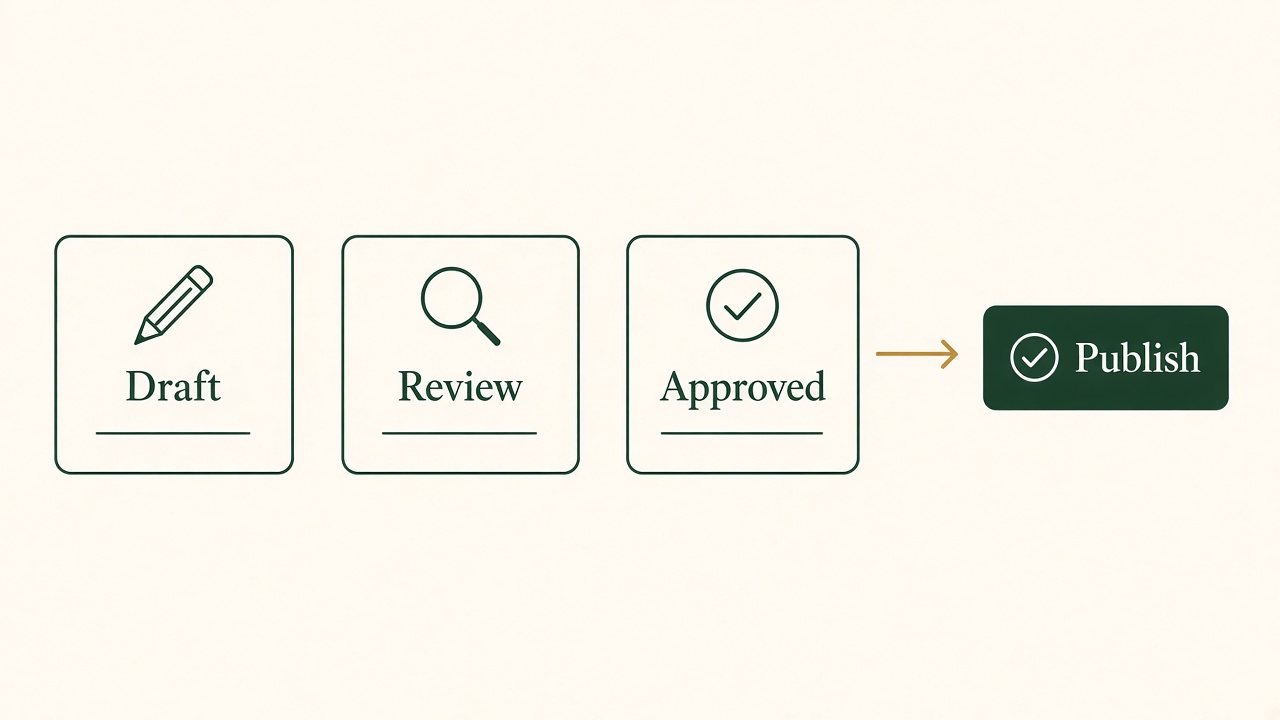
Publish comes after approval
Draft and review are earlier statuses. The publish step is available once a named person has approved that asset.
A cross-channel workflow fails when “everyone” owns the fact and nobody is allowed to hold an asset. Name the roles even if one person wears more than one of them. The topic owner keeps the question, the source, and the list of assets that depend on it. The producer, or the tool, creates the draft and the clip. The reviewer approves the product claim. A separate editor, if you have one, can check structure, links, and whether the article answers the question without adding a feature. Those can be the same human on a small team. They cannot be the same moment. Creation finishes. Review starts. Publish happens after review, per asset.
On my own work, I am the reviewer of the product claim. I can also be the person who set up the draft. The second hat does not cancel the first. I read the article against the product, I watch the clip with the sound off, and I read the caption as if I had not seen the article. If I would not say the sentence to a customer, it does not post. A founder who delegates the draft still has to keep the review if they are the only person who knows what shipped. Handing both creation and approval to a tool is how the calendar fills with confident errors. The offer is explicit that a writer, an editor, and an account manager are not included. If you need another person in the reviewer seat, hire them. Give them the source packet and the authority to say no. A reviewer who is measured on how many items they approve will not hold the clip.
Write the handoff in the status, not in a chat that disappears. “Draft ready” goes to a named reviewer. “Changes requested” goes back to the producer with the sentence that is wrong. “Approved for the article only” is a legal status when the clip is still wrong. “Approved to schedule” is the status that lets a queue have a date. If your tool has fewer statuses, map them on the calendar in words and do not let “scheduled” mean “nobody has watched it.” The person who schedules is not automatically the person who approved. On a team, those are often different people, and the scheduler should be able to see the approval without asking.
Brand consistency is a reviewer’s job as much as a designer’s. The words for the follow-up, the owner, and the due time should match across the article, the storyboard, and the caption. The sentence shape can change. A caption can be shorter. A clip can show instead of explain. A reviewer who only checks the article will miss the caption that simplified a limit away. Read the set together once before the first of them is public. After that, each asset can ship on its own date, because the shared fact was already locked. If the product changes after that lock, the topic owner reopens the set. You do not silently update one channel.
Founder review has a capacity, and the calendar has to respect it. If you can do one careful pass a week, the queue for that week is one pass, not every draft the tools can generate. Separate creation from review so the drafts can pile up without becoming public. The pile is not a backlog you owe the internet. It is text and video that have not been checked. Delete what you will not review. Schedule only what you signed.
From the brief to publish
The sample workflow is short because extra stages are where unreviewed files hide. Four moves cover a blog, a video, and the social posts that belong to them. You can draft the article and the script at the same time. You cannot publish from the draft step. You cannot skip the review because one of the formats is late.
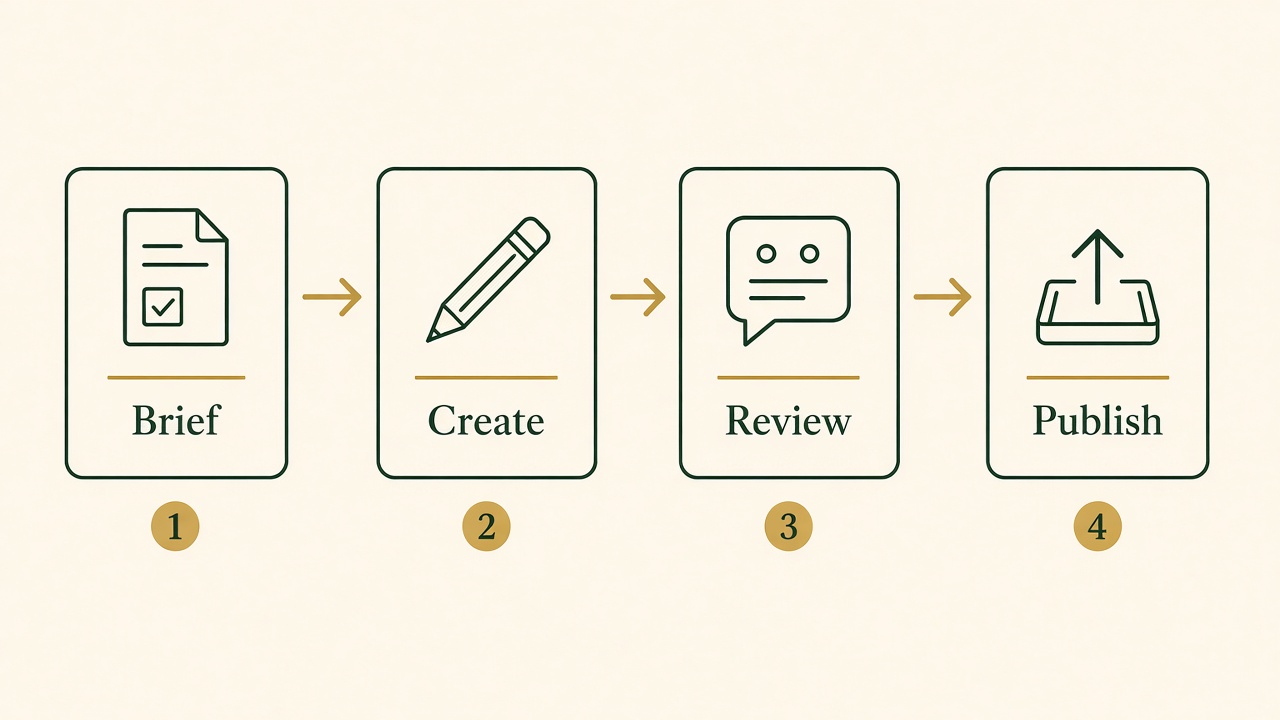
Brief, create, review, publish
Creation can run in parallel after the brief. Publish waits until that asset has its own review.
- 1. Brief Write the question, the reader, the source, the fact you will not invent, and the topic owner. This entry is the home on the calendar.
- 2. Create Draft the article and the video script from that brief. Note the one moment the clip will show. Draft captions only from sentences the brief allows.
- 3. Review A named person checks each asset on its own and then checks them together. The article can be approved while the clip is held, or the reverse, if the dependency allows it.
- 4. Publish Schedule only the approved asset. Store the live URL on the calendar. Leave the other format unpublished until its own review is done.
The brief is where cross-channel work is actually won. “Make content about follow-ups” will produce an article about productivity and a clip about a notification. “Show that an appointment has a named owner and a due time, and do not say the reminder sends itself” will produce assets that can sit next to each other. Include the source: the setting in the product, or the note a reviewer can open. Include the non-goal: this package will not explain billing, and it will not claim a result we have not measured. The producer should be able to draft without inventing, and the reviewer should be able to fail a draft without a meeting to rediscover the question.
Creation can run in parallel after the brief is stable. The article person, or BloGoose drafting from the notes, writes the full answer: when a follow-up is due, who owns it, and how you confirm it was handled. The video person, or Vlozy working from the page, scripts the one visible change and no second feature. If either draft needs a fact the brief does not have, they stop and ask. They do not fill the gap. Parallel work saves time only when the brief is the constraint. Without it, parallel work is two people inventing faster.
Review is per asset and then across the set. On the article, check the steps against the product and the links against pages that exist. On the clip, watch it without sound and read the burned-in line. On the caption, read it as the whole message a person might see. Then put them side by side. If the clip shows a button the article never mentions, either add the step or recut the clip. If the caption says “automatic” and the article says a person confirms the send, the caption is wrong even if it is shorter and catchier. Approval can be partial. Partial approval is how you avoid holding a finished article for a clip that needs another day, and how you avoid posting the clip with a link to a page that is still false.
Publish is a status, not a mood. The approved article goes to the site when its URL is real. The approved clip goes to the networks you listed, with the captions you edited, on the dates those rows carry. Anything still marked held stays held. After publishing, write the URLs back onto the topic. If a comment or a support ticket shows that a step was unclear, the fix goes through the same review, on every asset that stated the step. You do not hotfix the caption and leave the article. That is the workflow. It is slower than posting whatever generated first. It is the pace at which a blog, a video, and a social account can still be one product.
I use this order on purpose because the tools are good at the create step and indifferent to the review step. A calendar that only has publish dates will be filled by whatever finished generating. A calendar that has a review status between create and publish will wait. Separate creation from review, then let each approved channel go out on its own date. That is the whole coordination. See how Growth Duo manages multiple channels if you want the article calendar and the social queue in the offer. Bring the question with you. The subscription does not choose it, and it does not approve the result.
Questions about a cross-channel workflow
How do I coordinate content across a blog and social media?
Put the customer question, the source, and the approver on one calendar entry. Give the article and each social asset their own status, owner, and date. Publish an asset when its review is done. Do not wait for every format, and do not post a format that is still a draft. If the caption depends on the article, write that dependency on the row.
What is an editorial calendar?
It is the record of what you will publish, when, where, and who is responsible. HubSpot describes it as the tool that keeps a pipeline visible when several people create or review. In this workflow the calendar also holds the shared question above the separate article and social rows, plus a status that distinguishes a draft from an approval.
Should I post the same content on all platforms?
No. Use the same approved fact and change the execution. The article holds the full answer. The video shows one moment. The caption stands alone. Some networks get a text post instead of the video file. Identical files and identical captions create extra copies to fix when the product changes, and they ignore how each channel is actually watched or read.
How can I repurpose content between channels?
Lock the fact in the brief, then cut. The article gets the conditions. The clip gets one visible action. The caption gets one sentence and a link. A later post needs a different job, such as a checklist or a question the clip raised, or it should not be made. The repurposing guide covers the cut. This page covers the order: brief, create, review, publish.
What tools help manage cross-channel marketing?
A calendar with a real status, an article draft you can edit, and a social queue that waits for approval. BloGoose can hold the article calendar and the draft. Vlozy can prepare the short video and the channel captions. You still review. A tool that posts as soon as it generates is fighting the workflow. These products are not a connected customer-data system across support and sales.
What is an omnichannel marketing strategy?
HubSpot describes an omnichannel experience as one continuous journey across the channels a customer already uses, with context kept as they move. That is wider than a content workflow. Multi-channel distribution, in their writing, is about reaching people on several platforms and adapting the format. The workflow on this page is the content version: one question, a blog, a video, and social posts, reviewed separately. It does not claim to unify every customer record.
The shared question is the plan. See how Growth Duo manages multiple channels if you want the article side and the social queue together. The Growth Duo approach still leaves review with you.
See how Growth Duo manages multiple channelsCreation can be drafted for you. Review stays a separate step before anything is public.