
A startup marketing stack should match your next job, not your wish list.
It is easy to buy a writing app, a scheduling app, a video editor and a reporting dashboard before anyone has decided what the team needs to publish. A useful marketing stack begins with the actual work and adds software only when it removes a repeated bottleneck.
For an early team, an AI marketing stack should cover the work you already intend to do and make it clear who will review and publish it. Use the checklist and calculator below to compare your current setup with a candidate stack using your own prices.
Start with your weekly job list

Start from work that already has an audience
Write down the content you intend to produce in an ordinary week. A founder may need to update an article after a release and record a clip answering a recurring sales question. A two-person growth team may also need to review a comparison page and report which topics brought useful visits. Describe the job in terms of what the audience receives. “Explain which account can use the new feature” gives the team a clearer test than “generate content.” The clearer job also makes it easier to see when an existing tool can already do enough.
For search research, identify the customer question, the page that should answer it, and the sources you can verify. For creative production, identify the action someone can see and the footage you have permission to use. Those inputs belong in a short brief. Give the brief one owner and record who will check the final facts. Teams can often share the source material between article and video work without asking both outputs to serve the same purpose.
Trace the whole job from request to published result
Take one recent piece and write down how it moved through research, production, review, and publication. Identify the person and tool used at each step. Include the time spent waiting for someone to check a claim or send a missing file. If the clip was easy to edit but arrived too late for review, replacing the editor may not solve the problem. If the writer had to reconstruct the same source packet every week, a brief template or shared library might be the first useful change.
List the final destinations you actually use. An article may go into an existing content management system. A clip may need a manual upload and a caption preview. Reporting might involve checking a search report and collecting customer questions rather than building a new dashboard. Write down which decisions already work well and which ones need improvement. Give the team permission to keep a manual step when it is quick, reliable, and easy to correct.
Choose one bottleneck to test
Rank the recurring jobs by frequency and the effort they create. Start with one that has a clear input and a result someone can inspect. For example, you could test whether an article outline assembled from existing sources takes fewer revision rounds than your current blank brief. Record a baseline so you can compare the result afterward. The test should tell you whether the workflow helped someone finish a job, even if the team later decides not to buy another tool.
Decide what the team can sustain
Write the next two topics on the calendar and reserve time for the person who will verify the facts. Give each topic an intended destination, an owner, and a definition of done. For an article, that may mean the sources are checked, the CMS preview is approved, and the live link is saved. For a clip, it may mean the product action is accurate, the captions are checked, and the export opens on the device the audience uses. A trial is easier to judge when everyone knows what a finished asset looks like.
Decide which reports you will use before paying for more measurement. A founder might need to know which question prompted a useful reply or a qualified visit. A team testing a page may need to see whether visitors reached the next step. Start with reports you can already access and find out what is missing. If the decision does not change based on a new dashboard, keep reporting simple until there is a question the team cannot answer with its current records.
Five capabilities to check

1. Planning
Planning should help the team choose topics, avoid duplicating an existing page, and make it clear what the next draft needs to answer. Test with one source packet and a small list of existing articles. Ask the tool or workflow to prepare a brief, then review the intended audience, topic, evidence, and destination. If the result does not make the next step clearer for the writer, the planner may be adding another place to maintain a calendar without improving the decision.
2. Writing
Give the writing workflow real product facts and a clear question. Inspect the draft for unsupported statements, missing context, and unnecessary repetition. Check how an editor can replace a source or correct a section without losing earlier edits. Google’s guidance on generative AI content can inform the publishing standard. In the trial, count the changes needed to make the article useful to a reader rather than judging only how quickly a first draft appears.
3. Video
Test whether you can prepare a short clip from footage you have the right to use. Check the opening, on-screen action, caption timing, and export. Ask the reviewer to replace one shot or correct a product label and see how easily that change carries into the final version. The W3C captions guide explains how text can convey speech and meaningful sounds. Check the clip at the size and framing the audience will see.
4. Distribution
Check where each asset goes, which accounts can publish it, and what happens when the intended destination is unavailable. A tool may prepare a suitable file without publishing it directly. That can be fine if your team has a reliable handoff. If YouTube is one of your destinations, compare the actual output with the official Shorts upload guide. Test the format rather than assuming a social scheduler also handles editing, export, or approval.
5. Analytics
Choose one decision you want the reporting to support. The Search Console performance report can help you see which queries lead to impressions and clicks. The Google Analytics campaign URL guide explains how to identify visits referred by specific links. Decide what you will check in product or sales records after someone arrives. A reporting tool is useful if it helps the team decide which page to improve or which question to answer next.
Where tools overlap
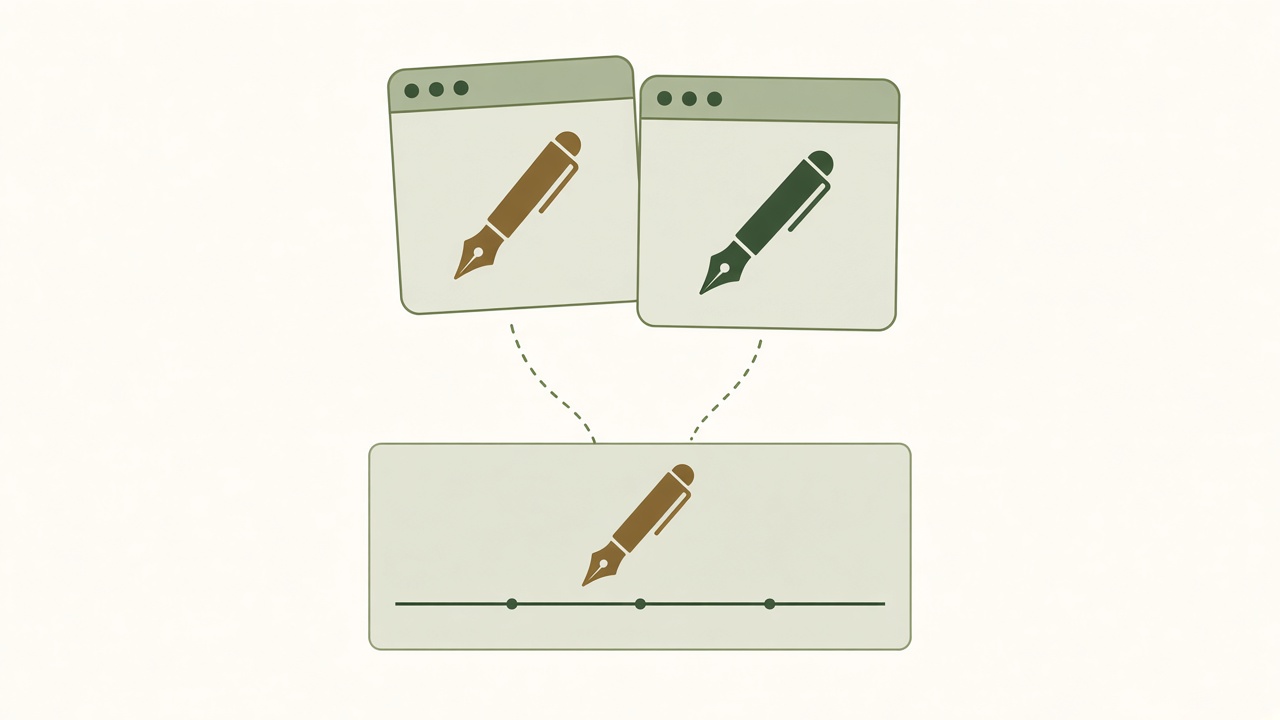
An AI writer and an editor may solve different jobs
A writing tool may help assemble a brief or produce a first draft. An editor still needs a place to check claims, leave comments, and mark the version that should go live. If both tools have a document view, ask which one your team already uses for approval. Keep a single source for the approved copy. Otherwise a corrected sentence may be present in the editor but absent from the version waiting in the CMS. The overlap is useful only if it reduces a handoff or lets you remove a tool without losing a capability.
A social scheduler and a video creator cover different steps
A scheduler can help a team arrange approved posts, while a creator can help turn footage into an asset the scheduler accepts. Check both on the same clip. If your editor exports a suitable file and your team can upload it quickly, you may not need another publishing connection. If the team posts often across multiple accounts, a clearer scheduling and approval process may matter. Ask which person will prepare, review, and upload the result before buying features that look similar in a comparison chart.
Compare a suite with the tools it could replace
Make a small table of tools and capabilities. Put the jobs down the left side and mark the current owner and tool beside each one. Then record which jobs the candidate actually covers. If two subscriptions both include writing assistance, try one task in each and decide which result can go through the team’s review process. If neither can produce a format the team needs, keep that gap visible. A suite may simplify some handoffs, while separate tools may give the team control over an important edit or export.
Check the cost of running both setups during a transition. You may need time to move templates, retrain the editor, or keep access to older drafts. Decide what has to be true before the team can cancel an existing subscription. For example, require a completed export, a successful review, and a published test. Record the retirement decision and its owner. Paying for overlapping tools can be deliberate during a trial, but it becomes hard to justify when the team cannot name what both are still doing.
Check what is included behind each capability
Ask each team member to describe the steps they actually use. “Video” can mean recording a screen, generating a script, changing a caption, or exporting an approved edit. “Analytics” might mean a channel’s own report or a record of qualified signups in the product. Group tools by the step they handle rather than the word used to sell them. Once you see the full sequence, check whether two products serve the same step or whether each solves a separate part that still needs to be done.
Decide which fallback the team needs if a connection fails. A separate editor may be useful when a publishing tool can no longer reach a destination, but keeping a paid subscription for an unlikely exception is a decision the owner should make deliberately. Try a manual export and upload during the evaluation. If it works with reasonable effort, document the process and compare it with the cost of keeping another tool. The backup should be simple enough for someone other than the usual publisher to use.
Cost and switching checklist

Compare the same scope and billing period
Enter current quotes in one currency. Convert annual commitments to a monthly equivalent for comparison, and record the amount due up front separately. Include required seats, recurring usage costs, and any tool you would keep alongside the candidate. Check the plan for the export, account, and approval features you need. A lower base price can become a poor comparison if it excludes a required seat or leaves you paying for a separate editor. Date the quotes so you can recheck them before purchase.
Use a separate note for one-time migration or training work, taxes you have not included, and any limit that could change the recurring total. A monthly equivalent helps compare options, but it is not the amount a vendor necessarily charges that month. The worksheet sums your entries. It is a decision aid that keeps assumptions visible, especially when comparing one bundled subscription with several separate tools.
Decision matrix and monthly cost worksheet
Use the same currency and include each subscription once. If one subscription covers several jobs, enter its full price in one row and leave its other rows blank. Mark whether the candidate passed the trial for each job.
Test export before switching
Export a reviewed article and a creative asset from the tools you expect to leave. Open them in the destination and check formatting, links, captions, and editable files. If your site uses WordPress, its export documentation explains what its built-in export includes. Verify the actual output from your setup. A website content export and an editable video project are separate artifacts, and each may require its own plan for retention and migration.
Confirm who owns approvals and connections
Record who can edit, approve, and publish. Make sure the team can take over a destination if an employee or contractor leaves. Check whether the candidate supports the approval path you already need and how to revoke an old connection. If the work is for clients, verify how access and exports are separated. Write a switching checklist with a backup, a reviewed test, and an owner for each destination. Run the old and new process in parallel only long enough to verify the handoff.
Read the worksheet as a decision record
A row marked as a gap needs an answer before you rely on the total. If the candidate cannot export a particular video format, add the editor you would still use to the candidate column. If the workflow needs another approval seat, include its recurring cost and check which plan provides it. A row marked as not needed can be left blank when there is no charge. Keep a note of the reason so a later review can tell whether the requirement changed or a cost was simply left out.
Download a copy after the trial and save it with the quotes and export checks. Add the date you verified each offer, the billing terms, and anything you still need to test. When you revisit the decision, compare the current plan and workflow with that record. A team can choose to wait if an important capability remains uncertain or if the switching work costs more time than it saves this quarter. The worksheet is useful even when the decision is to keep the current tools.
Run the comparison at the workload you expect next month. If the amount depends on usage, make a second copy for a busier month and note which assumption changed. An agency might compare the same tools with another client account. A founder might check what happens when another teammate needs approval access. The worksheet will show the recurring amounts you enter, while your notes explain when those amounts apply. Set a date to revisit the estimate after the trial so the decision accounts for the work you actually produced and any costs you had to keep.
Compare example stacks

Solo founder: keep one practical workflow
Imagine a founder who needs one website article and one short demo from an upcoming release. Use the existing CMS, a shared brief, and a screen recorder. Review the article and clip against the same product notes, publish them through the channels already in use, and check whether viewers ask for more detail. A writing or video tool might help with a specific repeated task. Keep the other parts of the setup when they already work and record the exact time the new option would save after review.
Compare Growth Duo with your current workflowSee the actual workflow, review what is included and choose the next step that fits your business.
Two-person growth team: make approvals explicit
One person can own the topic and the article while the other prepares footage and publishes the approved clip. Keep the evidence, review decision, and current versions together. Test whether a shared planning or publishing setup reduces the amount of copying between the two people. Give both owners a way to spot changes in product claims before an older draft is published. This team may benefit from clearer handoffs even when it keeps separate editing tools.
Agency with clients: check access and handover
An agency needs to know which person can approve a client’s material, where brand assets are stored, and what the client can keep when the work ends. Trial the process with a cleared sample account. Check how the team separates client files and destinations, and confirm whether the client can receive an editable export. Evaluate recurring seat and account costs at the actual number of clients you handle. A stack that works for a single company may require different controls when an outside team manages the work.
In all three examples, choose a normal topic and carry it through to an approved result. Record which tools the team used, which approvals it needed, and where it had to repeat work. Compare the baseline with the candidate using the same input and review standard. This gives the buyer a decision about the team’s workflow instead of a list of tool categories that may or may not apply.
Run a small trial for each team shape
For the solo founder, use one short product update. Write the source notes on Monday, record one feature action when the test account is ready, and keep one review slot before publication. The key check is whether the candidate removes a task the founder repeats. If it only creates more drafts than the founder has time to inspect, narrow the trial to a brief, caption, or export. The decision should reflect a normal product week with interruptions, rather than the extra time a founder might have during a product tour.
For the two-person team, introduce a factual correction after the first cut. Ask the article owner to update the shared brief and the producer to identify which footage or caption needs to change. Check whether they can find the approved versions and avoid scheduling an earlier one. Measure the time from identifying the correction to reviewing both assets. A candidate that makes this handoff clear can be useful even if it does not draft any faster than the current setup.
For an agency, have a colleague act as the client reviewer. Give them a draft, an approval deadline, and an export to inspect. Confirm that they only see the material intended for that client and that the team can hand over the approved files afterward. Try a correction without opening another client’s assets. Record the permissions and plan conditions needed to repeat the process. The result helps the agency decide whether the workflow is ready for client work or should stay in evaluation.
Growth Duo fit and limitations

Check whether your team needs both formats
The Growth Duo offer brings two products together. BloGoose is the website content side, while Vlozy is the social creative side. If your team regularly produces both formats, test them with one customer question and the same product evidence. Check the article’s sources, the clip’s accuracy, and the handoff to each destination. Confirm the plan scope and available outputs against what your editors actually need.
List the tools that would still have a job. You may need a CMS for the website, a CRM for prospect records, analytics for measurement, or a separate editor for a specific format. Put those costs in the worksheet once so your comparison reflects the full setup. Decide whether the pair replaces a recurring step, makes it easier to manage, or simply adds another option. You can compare the Growth Duo workflow with the writing, video and scheduling software you use today. If the team currently needs only one format, evaluate the relevant product against that job first.
Before making the decision, write down what the article editor and the video producer will each keep doing. The team may still need to verify claims, approve footage, check a site preview, or make a final crop. Include those steps in a trial using the same standards as your current process. If both branches are useful, record where sharing a brief reduces effort and which controls still need to be confirmed. That gives the team a concrete reason to adopt the pair or a clear question to resolve first.
Questions about choosing a startup stack
What should an AI marketing stack include?
Include tools for the jobs your team actually does, such as research, production, review, distribution, and measurement. Give each tool a clear purpose before adding it.
Which marketing tools does a startup need first?
Start with what helps the team complete its next useful asset. A place to write, review, and publish may be enough until the team sees a recurring bottleneck.
Can startups use one tool for SEO and social?
Some products cover parts of both workflows. Test the article and the social asset separately and check where each can be edited, reviewed, and published.
How do I compare marketing software costs?
Use a common currency and billing period. Include required seats, usage, and tools you will still keep, and record one-time switching costs separately.
Which tasks should be automated first?
Choose a repeated task with a clear input and a result someone can check. Preparing a brief is easier to trial than automating a publishing decision.
Do I need a CRM before a content stack?
That depends on how you handle prospect records and follow-ups. A CRM and content workflow serve different jobs. Choose according to the gap your team needs to address first.
What is the difference between a content tool and a scheduler?
A content tool helps prepare an asset. A scheduler arranges when and where an approved asset should go live. Verify what each product can actually do in your setup.
How can I avoid overlapping subscriptions?
Assign one owner and tool to each regular job. Test the candidate on the same work and decide what can be retired after export and review.
How can I evaluate a marketing tool trial?
Use one real brief, the same source material, and a normal review deadline. Measure time and effort through approval and export, not only first draft speed.
When should a startup replace manual workflows?
Consider a change when the task is frequent, the manual effort is measurable, and the team can still check and recover the result after automating it.
Bring your weekly job list and compare the two workflows against what your team needs to publish next.