
You just shipped a new feature. Your website page already explains it, and now two blank drafts are waiting while you decide between a video or article first for a new feature.
I get it. Every launch forces this choice, and most advice either crowns video by default or treats the two formats as rivals.
A quick note on terms: "feature article" here means a product feature article that explains what you built. It is not the journalism format that fills video results when you search that phrase.
I'll give you one test that decides the lead format: what is your customer's next question? You'll see it applied to four feature types, then learn how to turn website content into short videos and articles from one source, and why the first thing to write is neither.
The prerequisite is a feature page on your site. The outcome is a clear first format plus a plan for the second.
Your customer's next question picks the first format. A video shows what the feature does, and an article settles whether it fits. Both should come from the same feature page.
Should You Publish a Video or an Article First?
Publish a video first when your customer's next question is "What does it look like?" Publish an article first when it is "Will this work for me?" The clip shows what the feature does, and the article settles fit, setup, and limits. Most launches need both.
Choosing between a video or an article first for a new feature comes down to the customer's next question, not to which format feels more current. If the change is visible, such as a redesigned screen or a new control, a short clip answers faster than paragraphs, which is why large software vendors announce visual updates through release videos, with Adobe's fall "What's New in Premiere" update as a familiar example. If the change affects setup, pricing, or compatibility, readers need specifics they can scan, search, and revisit, so an article should lead and the clip should follow from the same source.
| Format | Job | Best for | Customer question it answers |
|---|---|---|---|
| Short video (Show) | Show the feature working | Solo founders launching a visible change to followers on social feeds | "What does it look like?" |
| Researched article (Settle) | Settle fit, setup, and limits | Small teams whose buyers compare options before committing | "Does this work with my setup?" |
Both formats have real strengths. Video makes a visual change obvious at a glance but holds few of the details buyers check later. Articles keep those details and stay searchable, but they ask for more of the reader's attention.
Decision matrix by feature type
| Feature type | Lead format | Follow-up | Why |
|---|---|---|---|
| Visual UI change | Video | Article | Seeing it beats describing it. The article then covers edge cases. |
| Workflow or setup change | Article | Video | Readers follow steps at their own pace. A clip then shows the finished flow. |
| Pricing or plan change | Article | Video | Buyers need exact terms in writing. A clip can point them to the article. |
| Integration | Article | Video | The first question is "Does it connect to my tools?" A clip then shows the connection working. |
If content is only one of several jobs on your list, the Verthilix product family includes tools for communicating clearly, creating content, and managing everyday work.
How to Publish Both Formats From the Same Feature Page
Publish both formats by treating your feature page as the single source. Update the page, run the next-question test, cut one clip, draft one researched article, and review everything before it goes live. Because both formats come from the same page, they stay consistent.
Here is the answer to the open loop. To publish a video and an article from one source, write the feature explanation on your own site first, because that page is neither a video nor an article but the source both draw from. Then decide which format leads by naming the customer's next question, cut a clip that shows one feature, and draft an article that answers setup, fit, and limits using the same facts, so nothing contradicts the page.
Prerequisites: a draft or live feature page, screen access to the feature, and a few focused hours across launch week.
- Write or update the feature explanation on your site. Cover what changed, who it is for, how to turn it on, and what it does not do. This takes about 30 to 60 minutes. You're done when a teammate can read the page and explain the feature back to you.
- Run the next-question test. Read the page as a customer and write down the one question they would ask next. This takes about 10 minutes. You should end up with one lead format and one follow-up recorded in your launch notes.
- Cut one short clip for one feature only. Record the single action the feature performs, from click to result, and save other updates for their own clips. A viewer should understand the clip with the sound off.
- Draft the researched article from the same page. Answer setup, fit, and limits in that order. See how blog articles answer a customer's next question. Every claim in the article should trace back to the feature page.
The catch? Drafts can drift from the source.
- Review the facts, the words, and what gets published. Check every claim against the page, edit the tone, then choose what goes live and when. You stay in control throughout.
Here's how it looks for one feature. The clip shows the feature working, and the article answers "Does this work with my setup?" Both come from the same page.
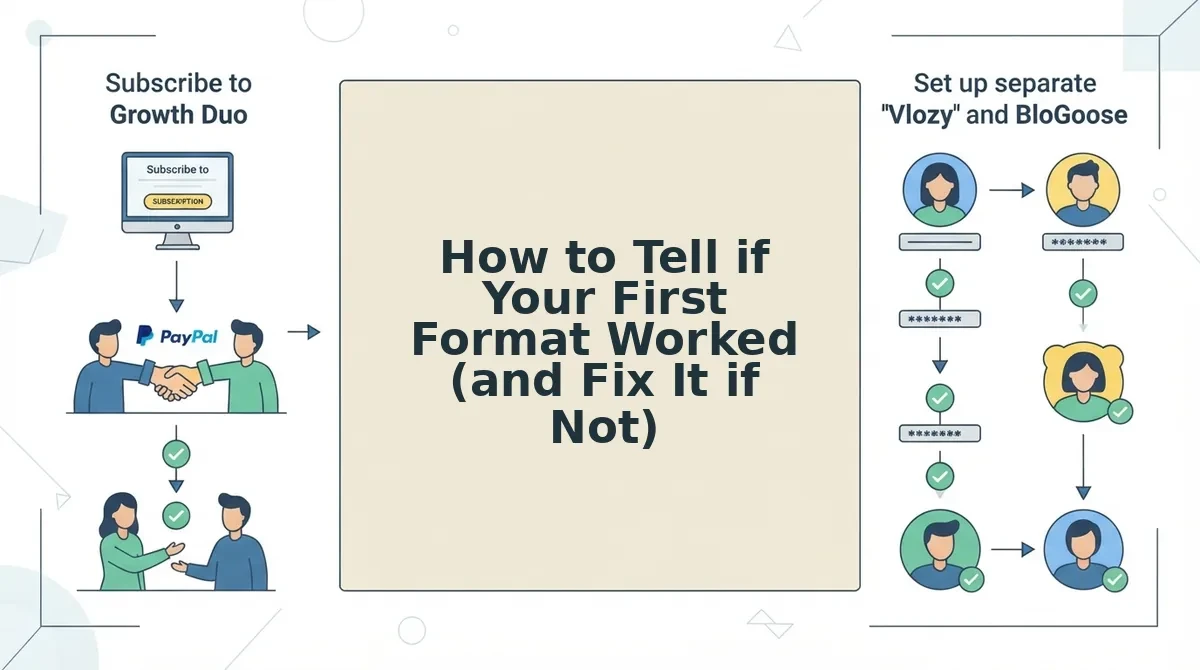
The Growth Duo pairs Vlozy short videos with BloGoose researched articles under one PayPal subscription, with a separate login for each tool. You still review and approve everything before it goes live.
Once both formats are live, check whether the lead format did its job.
How to Tell if Your First Format Worked (and Fix It if Not)
Here's where it gets tricky: your first format worked only if readers understood the feature and took the next step, not just if it got views. Find the symptom you're seeing below, then apply the matching fix.
- The clip gets views but no signups. Cause: it showed the feature but never settled whether the feature fits the viewer's situation. Fix: publish the article next, and cover who the feature is for and what it needs to work.
- Readers misread what the clip does. Cause: the clip covers several features, so none of them lands clearly. Fix: cut it down to one feature, and run through what to check before a short product video goes live before you repost it.
- The article ranks but readers don't get the feature. Cause: the text explains the steps but never shows the result. Fix: embed the clip on the page so readers see the feature working before they read the setup.
- The article repeats the clip without answering setup questions. Cause: it was written as a transcript, not as a follow-up. Fix: rebuild it around the next question readers ask, and fact-check an AI-drafted article before publishing it again.
Worked example #3 shows the pattern in action. The clip went out first, but readers still asked how to set the feature up, so the article answered exactly those questions. That is the follow-up format doing its job.
Video or Article First FAQ
These answers cover the timing, scope, and SEO questions that the sections above leave open.
Can I publish the video and article on the same day?
Yes, as long as both are finished and checked. A same-day release works when the clip shows the feature and the article settles setup, because each format answers a different question. Stagger them only when you want the second format to answer questions the first one raises.
How long should a feature clip be?
A feature clip should be long enough to show one feature doing one thing, and no longer. Judge it by scope, not by a stopwatch. If the clip needs a second feature or a second idea to make sense, split it into two clips instead of stretching one.
Does a video help SEO for a feature page?
Yes, but indirectly. People type searchable "how do I" questions as text, so the article does most of the ranking work. The clip supports the page by showing the feature in action, which helps visitors who land there understand it faster.
Should every product update get its own clip?
No. Give a clip only to updates a customer can see and use, such as a new feature or a changed workflow. Bug fixes and minor tweaks fit better in a changelog or an article. Read more on should every product update get its own short video.
Lead With the Customer's Next Question
Publish first whichever format answers the question your customer will ask next. That is the payoff promised at the start: the real choice isn't video versus article. It's show versus settle.
- One source: Write the feature page first, and draw both formats from it.
- Show vs. Settle: Lead with the clip if readers need to see the feature, or with the article if they need fit or setup settled.
- Follow up and review: Publish the second format next, and check both yourself before they go live.
You can find more practical guides in the Verthilix Journal. When you're ready to stop producing both formats by hand, start the Growth Duo, one subscription that turns your website content into short videos with Vlozy and researched articles with BloGoose.
Your feature page already holds the answers, so let it do the talking.