

Your feature page already explains what the tool does, so the obvious first line of your video is the feature list. That instinct makes sense, and it is also why many clips lose viewers before the fix appears.
This guide shows you how to build a customer problem short product video. It is a clip that names the viewer's problem in its first seconds and then shows your feature removing it.
Picture a founder whose site already explains a scheduling feature. They skip the blank script, start from that page, and pull out the problem it was written to solve.
You need one feature page, FAQ, or support reply that already exists on your site, plus about 30 minutes. You will work through five steps in order. Step 4 is where most clips quietly fail.
To turn a customer problem into a short product video, find the problem your site already explains. Rewrite the feature as that problem, then script the moment it hits and the fix. Write a hook that names the problem, and write the caption in the customer's words.
Why Do Feature-First Product Videos Lose Viewers?
Feature-first videos lose viewers because people recognize their own problem, not your feature name. A clip that opens on the feature makes the viewer translate it into their situation, and most will scroll past before they do.
A feature-first video is a product clip that opens by naming what the tool does instead of the problem it solves. As a founder, I watch where people struggle, and I have come to a contrarian view: your feature list is the wrong starting script.
Think of a doctor who opens an appointment by listing medicine names. You would rather they ask where it hurts. Your viewer feels the same way about "automated approval workflows."
Why does a feature list fail as a video opening? People describe their pain in their own words, such as "my drafts sit in someone's inbox for days," and they stop scrolling when they hear that sentence spoken back to them. They do not search for feature names or pause on them. Opening with the problem does the translation work for the viewer, so the feature lands as the answer to something they already feel.
Audiences are already tired of generic corporate video. Umault's YouTube video "Corporate videos are boring" has about 1,020,526 views, which suggests how familiar that frustration is.
The Verthilix Journal has more practical guides on turning what your website already explains into short videos.
How to Turn a Customer Problem Into a Short Product Video (Steps 1-3)
Start with copy you already own. Steps 1 to 3 take about 20 minutes: find one problem, rewrite one feature as that problem, and script the clip around it.
Before you begin, open one feature page, FAQ, or support reply in a browser tab, and keep a blank document beside it. Follow one rule throughout: one problem and one feature per clip.
- Find the problem your site already explains (about 5 minutes). Scan three sources: your FAQ pages, your saved support replies, and the "why" line on each feature page, which is the sentence that says why the feature exists. Copy the one sentence that describes what goes wrong for the customer. You should end with a single problem sentence written in plain language.
- Rewrite the feature as the problem it removes (about 5 minutes). Use a three-column table: the feature line, the hidden problem behind it, and a hook line that names the problem. You should end with one row you would say out loud to a customer.
Feature line Hidden problem Hook line Export reports to CSV Rebuilding the same report by hand every week Still copying numbers into a spreadsheet every Friday? Schedule posts in advance Forgetting to post when the week gets busy Did your post go out late again? Built-in approvals Drafts stuck in someone's inbox Still waiting on one sign-off? - Script the moment and the fix (about 10 minutes). Write five short lines using the Problem, Moment, Fix, Proof, Caption framework. Treat the timings below as a starting point, not a rule. You should end with a script that reads aloud in under 30 seconds.
Beat Timing What it shows Problem 0-3s The pain, named in the customer's words Moment 3-8s The exact point where the problem hits Fix 8-20s The one feature removing it Proof 20-27s The finished result on screen Caption On screen and in the post The problem restated in plain words
Vlozy follows the same scope: each clip covers one feature. Applied here, that means your export problem gets one clip and your approvals problem gets another. For a deeper walkthrough, see how to explain a new product feature in one short video.
The problem sentence from Step 1 can also anchor a full article. The Growth Duo pairs short videos from Vlozy with researched articles from BloGoose in one subscription, so both start from the same product knowledge.
Your script now has a problem and a fix, so the next step is to decide which words go in the hook and which belong in the caption.
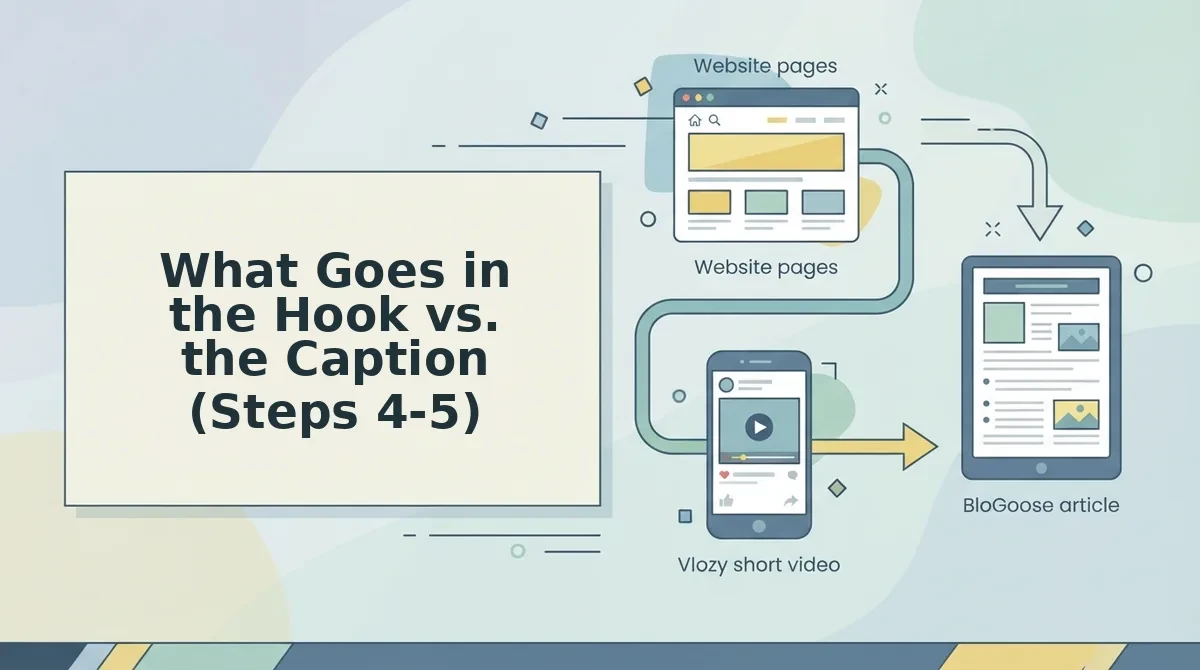
What Goes in the Hook vs. the Caption (Steps 4-5)
The hook and the caption do different jobs. The hook names the customer's problem on screen in the first seconds so the right viewer keeps watching. The caption restates that problem in the customer's own words and adds one next step.
Step 4: Write a Hook That Names the Problem
Step 4 usually fails when the hook names the feature instead of the problem. "New bulk export" means nothing to a viewer who doesn't yet know they need it.
Start from one of three formula hooks:
- "Still [problem]?" For example: "Still copying orders into a spreadsheet by hand?"
- "If you [situation], watch this." For example: "If you answer the same setup question every week, watch this."
- "The [task] step that eats your afternoon." For example: "The invoice step that eats your afternoon."
For more patterns, see how to write a hook for a short product feature video.
But a hook alone won't carry the clip. Some viewers read the caption before they decide the problem is theirs.
Step 5: Write the Caption in the Customer's Words
The caption restates the problem using wording from the FAQ or support reply you found in Step 1, not from marketing copy. It then gives one next step, such as a link to the feature page. The guide to captions that explain a feature covers formatting.
| Role | Hook | Caption |
|---|---|---|
| Main job | Names the problem on screen in the first seconds | Restates the problem and gives one next step |
| Wording source | A short, sharp version of the problem | The customer's exact words from Step 1 |
| Strength | Stops the right viewer from scrolling | Carries precise wording and a link |
| Limit | Too short to explain the fix | Read only after the viewer has stopped |
| Best for | Founders posting to fast-scrolling feeds | Teams answering repeat support questions |
How to Check the Clip Worked Before You Publish
Run this six-point check before publishing. Each point maps to a step, so a failed check shows you what to fix.
- Problem in the first line. The opening on-screen text names the problem. If it names a feature, rewrite the hook.
- One problem, one feature. The clip solves one problem with one feature. Cut anything that answers a second question.
- Accurate facts. Every claim matches the feature page. Correct whichever one is out of date.
- Customer wording. The caption uses the customer's words from Step 1. Replace anything that reads like an ad.
- One next step. The caption ends with a single action. Two links split attention.
- Your approval. You sign off before anything is published. Nothing goes live by default.
Who should approve a short product video before it goes live? You should. As Verthilix's founder, my rule is simple: the tools draft, but you approve the facts, the words, and the publish decision. That same problem can also feed a second channel. Worked example #3: the customer problem behind your clip becomes a researched article through BloGoose, so one problem feeds both video and search. For a fuller review, see what to check before a short product video goes live, or browse the Verthilix product family.
Start Your Next Clip From the Problem
Start your next clip with one customer problem, not a feature list. That is the payoff promised at the start of this article: viewers stay for their own problem, and the feature earns attention only as the fix.
Run the five steps as one sequence using a single page from your site. Find the problem in your customer's words, match it to one feature, and show the fix. Then hook on the problem, and caption it in their words with one next step.
Keep one problem per clip. Then reuse that problem in an article, so one problem becomes one clip and one article, all built from the same product knowledge.
To run both channels without two separate workflows, start with the Growth Duo. It pairs Vlozy short videos with BloGoose researched articles in one PayPal subscription, with separate logins for each tool. Your customers have already told you what your next clip should say.