
The update ships, someone posts a changelog line, and nobody notices. Your appointment reminders feature, built to help customers reduce missed bookings, deserved more than one sentence in a release note.
You are right to want more from it. This guide shows you how to turn one product update into a video and article from a single source: one short clip that shows the feature and one problem-led article that explains why it matters. It follows the same idea behind the Growth Duo approach to turning website content into short videos and articles.
You will get six steps, a Show vs. Explain table, and a review before anything goes live. Appointment reminders run through every step as the example. One detail surprises most teams: the order you build the two pieces in matters more than the tool you use.
To turn one product update into a video and an article, write one change statement first. From it, build one clip that shows a single action and one article that explains the problem. Review both before publishing.
How do you turn one product update into a video and an article?
You write one change statement, then build a short clip and a problem-led article from it separately. A product update is any shipped change customers can use, such as appointment reminders. Both pieces draw on the same facts, and neither is converted from the other.
A change statement is one sentence that says what changed, who it helps, and what they do now. A short product feature video is a clip that shows one feature performing one action.
The One Source, Two Outputs framework flows like this:
- Change statement, written first
- Clip: shows the action, built from the statement
- Article: explains the problem, built from the same statement
Should you convert your article into a video instead? No. Every visible YouTube tutorial assumes article-to-video conversion inside one tool, which turns the clip into a summary of paragraphs that explains instead of shows. Building both from one change statement keeps the facts identical while letting each format do its own job. That resolves the order question: the statement comes first, and the clip and article come after it, side by side. Think of the statement as a recipe card two cooks share. One makes soup, one makes salad, and neither starts from the other's dish.
Before you start, gather three things:
- The shipped feature
- The existing page that explains it
- Time to review both pieces
Resist volume. One clip plus one problem-led article, reviewed properly, beats ten articles squeezed from one update. BloGoose reads your site before drafting, so that existing page becomes its source. Find more practical content workflows on the Verthilix blog.
How to turn the update into a clip and an article step by step
Write the change statement, pull facts from your existing page, record one clip, draft one problem-led article, review both, then publish them linked together. The workflow runs across two tools: Vlozy for the clip and BloGoose for the article.
Before you start: have the shipped appointment reminders feature, the site page that explains it, and access to both tools. The Growth Duo gives you one subscription for short videos and researched articles, billed through one PayPal subscription with separate logins for Vlozy and BloGoose.
- Write the change statement. Open a blank document and type one sentence: what changed, who it helps, what they do now. For example: "Businesses that take bookings can now set appointment reminders, so customers miss fewer appointments." You should have one sentence both outputs will repeat. Time: a few minutes.
- Pull facts from the existing page. Open the page on your site that explains reminders and copy only what it states: where the setting lives, who receives the reminder, and what it says. BloGoose reads your site before drafting, so these facts become its source. Success looks like a short fact list with nothing you had to guess.
- Show one feature in one Vlozy clip. Write a two-shot list: the reminder is set, then the customer receives it. Keep every other screen out of frame, and follow this guide to a short product video for one new feature for framing. You should end with one clip showing a single action from start to finish.
- Draft the BloGoose article around the problem. Frame it around reducing missed bookings, not "we added reminders." Split the work so the pieces never repeat each other:
You should have a draft that names the problem before it names the feature.Video shows Article explains Setting a reminder Why missed bookings happen The customer receiving it How reminders fit the booking workflow - Hand off to review. Send the clip and draft to your reviewer with the change statement and fact list attached. Nothing goes live until both pass the checks in the next section.
- Publish and connect the two. Embed the clip in the article, then paste the article link into the video description. You should see each piece pointing to the other.
How should a small feature update be framed in an article? Lead with the customer problem the feature solves, not the announcement. A headline like "we added reminders" tells readers what changed but gives them no reason to care. A headline about reducing missed bookings speaks to a cost they already feel, and the feature then arrives as the answer. Keep the article focused on that one problem, explain why it happens, and show where the feature fits in the daily workflow. Let the embedded clip handle the demonstration, so the text stays on reasoning rather than describing screens.
If your site already explains your features, the Growth Duo lets you run this workflow from those pages without hiring an agency. Next, make sure both pieces are accurate.
How to check both pieces before they go live
Check both pieces against five points before publishing: every fact matches the feature page, the clip shows one action, the article leads with the problem, the voice sounds like you, and links work in both directions. The tools draft, but you decide what gets published.
The checklist is grouped by facts, words, and what gets published, in order of importance. For a deeper pass on the video alone, see what to check before a short product video goes live.
- Every fact matches the feature page. Compare names, steps, and limits in both drafts against the live feature page. One wrong detail costs more trust than a missing one.
- The clip shows one action. Watch it once and name the single thing a viewer can now do. If you can't name one action, the clip is covering too much.
- The article leads with the problem. Check that the first paragraph names the customer's pain before it names the feature. I watch where people struggle, and that struggle is the hook.
- The voice sounds like you. Read the article aloud and replace any phrase you would never say to a customer. Generic copy blends into every other update.
- Links work in both directions. Click from the article to the clip and from the clip's caption back to the article. A broken link strands a reader who was ready to act.
When a check fails, these fixes cover the usual causes:
- The clip shows three features: Cut it to one action. Our reminders clip tried to show settings, templates, and SMS at once, so we trimmed it to one action viewers could follow.
- The article reads like a changelog: Reframe it around the problem the update solves, then introduce the feature as the answer.
- The facts drift from the feature page: Re-check every claim against the source page, then correct the draft.
Questions founders ask about product update content
These answers cover the gaps founders hit most often when one update has to become two pieces.
Should the video come from the article, or the article from the video?
Neither. Both should come from the same change statement, a single sentence that says what changed, who it is for, and why it matters. Building each piece from that statement keeps the facts consistent. It also stops the clip from turning into a trimmed-down version of the article.
What if the update is too small for an article?
Lead with the problem the update solves instead of announcing the feature. A small reminders tweak becomes an article about reducing missed bookings, which is something readers actually look for. For the video side, see should every product update get its own short video.
How long should a product feature video be?
A product feature video should be long enough to show one action from start to finish, and no longer. There is no fixed ideal duration. The right length is the time a viewer needs to see the change work once. Additional features belong in a separate clip.
Do I need separate tools for video and articles?
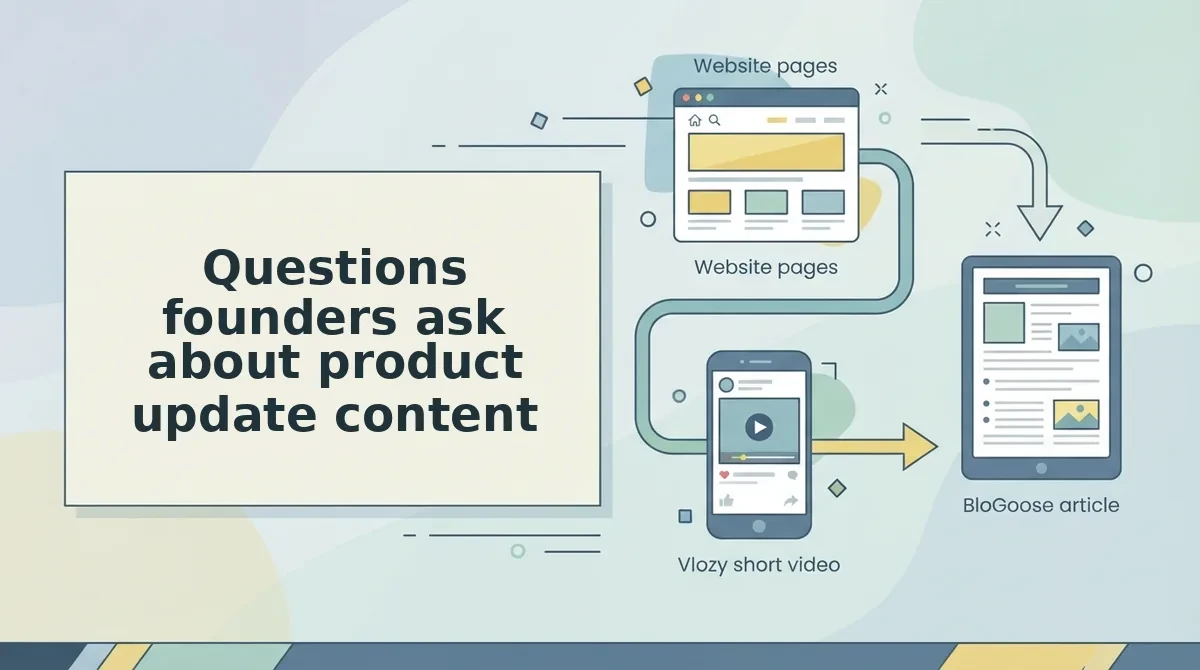
Yes. Vlozy makes short videos and BloGoose writes researched articles, and each tool has its own login. You can buy them as individual plans or packages. The Growth Duo package pairs both tools under one subscription.
Ship the next update with one clip and one article
One change statement is enough to ship a clip and an article that agree with each other. Producing more content is not the hard part. The hard part is deciding clearly what changed before anything gets drafted.
Take your latest update and write that sentence now. From it, build one clip that shows one action and one article that opens with the customer's problem. Then run both through the review checklist above.
If you want help with the drafting, the Growth Duo pairs Vlozy short videos with BloGoose researched articles in one PayPal subscription, with a separate login for each tool. See the full playbook to get started.
I built these tools to draft, not to decide. You stay in control of the facts, the words, and what goes live. That is the point of founder-led software for business growth: every update you ship can reach more customers in your own voice.