
It's late, the cursor is blinking, and your website already explains your product better than anything you'll type tonight. You want to write blog posts in your brand voice, but every AI draft you try sounds like it belongs to someone else's business.
That frustration is fair. I build BloGoose, and I see where people struggle. The hard part is not getting a draft. It is knowing what to do once the draft exists.
Most YouTube results on this topic are vendor demos with the same promise: the tool drafts posts in your voice, and you check them. None of them explain what to check.
This guide covers that gap. In this workflow, drafts start from your own site, and you keep control of every fact and the publish decision. You'll get the prerequisites, five steps, and a review checklist. Along the way, I'll show you the one edit AI can't make for you.
Key Takeaway: AI drafts sound like your business when they start from what your site already says. You still review every fact, every word, and the publish decision.
What You Need Before an AI Draft Can Sound Like You
Brand voice is the consistent way your business explains things, through its word choice, its tone, and what it will and won't say. An AI draft learns that voice from voice sources. Your live website supplies the facts and phrasing, and you supply the opinions, stories, and limits.
An AI draft is a first version of an article written by software for a human to edit. A voice source is any material the draft takes your wording and facts from.
| What AI can pick up from your site | What only you can supply |
|---|---|
| Product names | Opinions |
| How you explain features | First-hand stories |
| Recurring phrases | What you refuse to say |
| The terms you use for your audience | Current decisions not yet on the site |
The left column is already published. If your pages call customers "teams" rather than "users," a draft built from those pages can repeat that word.
The right column lives only in your head. No tool can know your view on a competitor, a story from a customer call, or a promise you have decided not to make.
Think of your website as a recipe card that has been in the family for years. A new cook can follow it closely, but only you know why Grandma skipped the salt.
Here is the contrarian part. For most founders, the website already works as the voice guide, so you can skip a separate five-step voice exercise. Voice-guide workshops, like the approach in the MeetEdgar and Alex Cattoni videos, are still useful for teams with many writers. One limit applies: if your site copy is weak or outdated, fix it first.
Before you draft, have these ready:
- Live website pages that explain your product
- One topic tied to a real customer question
- Time set aside for a human edit pass
BloGoose reads your site before drafting, which covers the left column. For the full picture, see writing a small-business blog post in your brand voice, or browse more practical guides in the Verthilix Journal.
How to Write Blog Posts in Your Brand Voice With AI Drafts, Step by Step
To write blog posts in your brand voice with AI drafts, pick a topic your site already explains and draft from your own pages. Then check every fact against the source page, add something only you know, and rewrite the opening and call to action yourself before you publish.
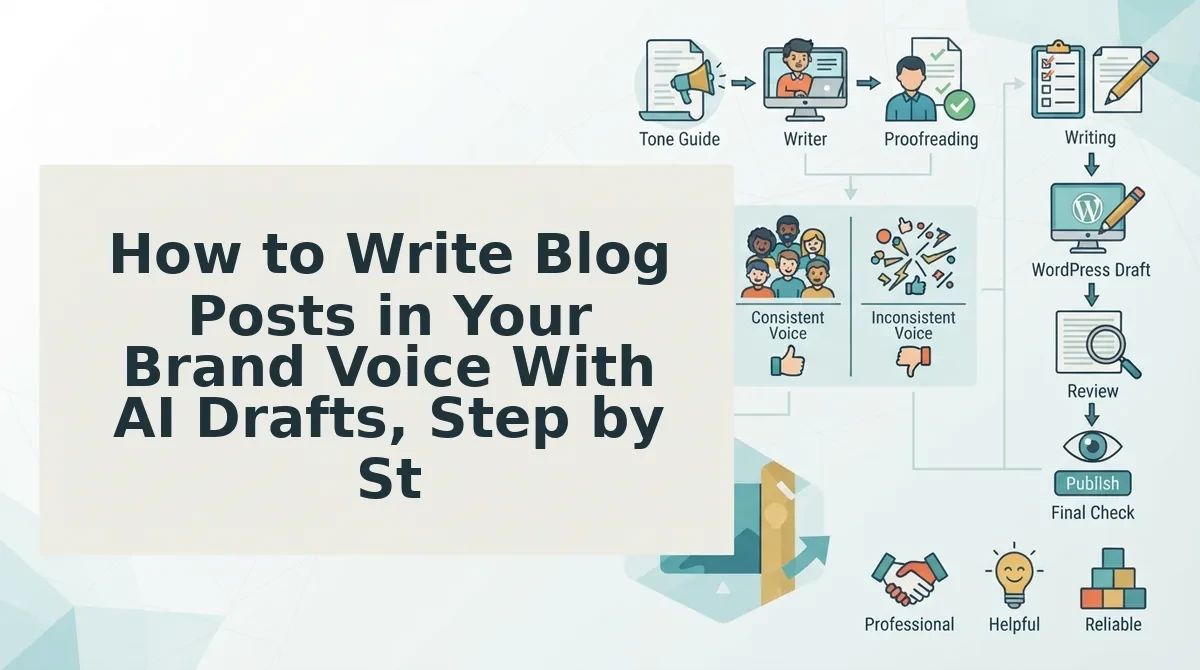
The workflow follows one decision flow: draft from your site, check the facts, rewrite the opening, add the one thing only you know, then publish or hold. Drafting from your own pages gives the AI your product names, explanations, and phrasing instead of generic web copy. Checking facts keeps errors from reaching customers. Your personal addition is the one edit AI can't make for you, because the AI has no access to your opinions, observations, or limits. If any fact can't be confirmed against a live page, hold the post until it can.
You'll need your live product pages, a drafting tool that reads your site, and roughly an hour for the full process.
- Pick one topic your site already explains. Choose a question a customer has actually asked. This takes about 5 minutes, and you should end up with one topic and one source page.
- Draft from your website. Point the tool at that page so it starts from your own wording. Once the draft is generated, it should use your product names.
- Check every fact against the source page. Open the page and the draft side by side, and mark each claim as confirmed or cut. Plan for about 15 minutes. When you finish, no claim should be left unverified.
- Add the one thing only you know. Write in an opinion, a first-hand observation, or something you won't promise. This step takes about 10 minutes, and the post should now say something a competitor couldn't copy.
- Rewrite the opening and the CTA in your own words. Spend about 10 minutes on this. Read both aloud, and they should sound like you talking to a customer.
Worked Example: Explaining a New Feature
A founder ships a feature and wants a post about it. They draft from the existing feature page, confirm each detail against that page, and add why they built the feature. Then they rewrite the opening around the customer question that prompted it. For a video version, see explaining a new feature in one short video.
Worked Example: Turning a Product Page Into an Article
BloGoose reads the product page before drafting. You then review the facts, add your own perspective, and decide whether the post goes live.
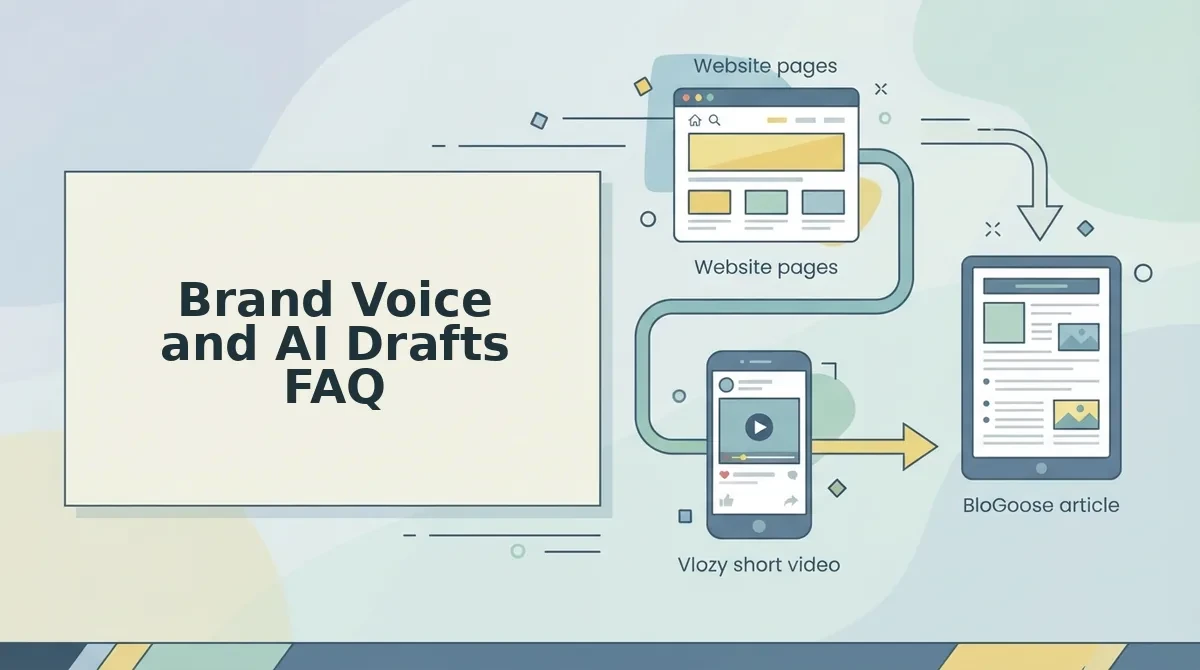
If you also want video, the Growth Duo subscription pairs BloGoose researched articles with Vlozy short videos. Both draw on the same website knowledge, under one PayPal subscription with separate logins. You can also explore the other Verthilix products.
Next comes the final review before anything goes live.
How to Check the Draft Sounds Like You Before It Goes Live
Before an AI draft goes live, check six things. Facts must match your site, claims must be ones you can defend, and product details must be current. Phrases you'd never say must be gone, the CTA must fit, and the publish decision must stay with you.
But a clean draft isn't a finished post. Work through this checklist in order, highest risk first:
- Facts match your site. Compare every number, feature, and process against your own pages. If the post and your site disagree, readers trust neither.
- Claims are ones you can stand behind. Cut any promise you wouldn't repeat to a customer on a call.
- Product names and details are current. Check names, plans, and features against your live pages. Outdated details make a post stale fastest.
- Words you'd never say are removed. Delete hype, stock phrases, and jargon that never appear in your own writing.
- The CTA fits the post and your offer. Point readers to one next step that matches what the post discussed.
- The publish-or-hold decision is yours. A draft is a starting point, not an approval.
What should you edit in an AI draft? Start with numbers, product details, and claims, because they carry the most risk and are the easiest to verify against your site. Then rewrite the opening and any sentence that sounds templated, and add the one point only you could make, such as a question customers keep asking or a decision you made and why.
Finally, read it aloud. If a customer couldn't tell it apart from how you explain things on a call or on your site, the voice worked. The same habit applies to video; see what to check before a short product video goes live.
Brand Voice and AI Drafts FAQ
These are the questions founders ask most often about using AI drafts without losing their voice.
Do I need a brand voice guide before using AI drafts?
No, you don't need one if your site copy already sounds like you, because that copy works as the reference. Teams with several writers do benefit from a short guide. It keeps edits consistent across authors.
Will AI drafts make every post sound generic?
AI drafts sound less generic when drafting starts from your own website rather than a blank prompt. Your edit pass handles the rest. The most reliable way to make AI writing sound like you is to add what only you know.
Does this workflow work for a WordPress blog?
Yes, the drafting and review steps apply wherever you publish, including WordPress. For current product details, check the Growth Duo page. You can also read BloGoose vs Jasper for researched WordPress articles.
How long does editing an AI draft take?
Editing time depends mostly on your source page. It's shorter when the page the draft starts from is clear and current. It's longer for claims-heavy topics, where every statement needs checking against your site.
Publish the Post or Hold It
Publish when the checklist passes, and hold when it doesn't. The step that decides whether your voice survives isn't the prompt. It's this final call.
For the feature post we've followed, publish only if every fact matches your site and the post carries your own perspective. Hold it if a fact can't be verified or the post reads like anyone could have written it.
- Start from one existing page you already trust.
- Add the one point only you can make.
- Own the publish button.
Do you want articles and short videos drawn from the same website knowledge? The Growth Duo subscription pairs BloGoose and Vlozy, and you still review everything before it goes live.
That's how I build software for business growth at Verthilix. The tools do the drafting, and you keep the final say. â Roktim