
You shipped appointment reminders. Now what do you write? The launch post goes out, and then the topic list runs dry, even though customers still have questions about the feature.
I build the tools in the Verthilix product family, and I watch where people struggle. The blank page is rarely the real problem. The harder part is learning how to plan blog topics from one product feature without repeating yourself.
This guide shows you how to get six researched topics from that single feature. First, list what the feature page already explains: what reminders do, who they are for, how setup works, and where the limits are. Then map, order, validate, and check for overlap.
How do I plan several blog topics from one product feature? List what the feature page already explains. Then map six angles to six search intents: problem, setup, comparison, limits, use case, and mistakes. Publish the problem post first. Merge any two topics that answer the same question, then validate each title with search data.
Near the end, one test tells you when two topics will compete instead of rank. Start with what you already have.
What Do You Need Before Planning Topics From One Feature?
You need three things: the feature page, the questions customers already ask, and the words they use. You do not need a keyword tool yet.
A product feature is one specific capability your software offers, such as appointment reminders. Search intent is the goal behind a search, such as learning, doing, comparing, or fixing something.
Most popular tutorials start with keyword tools or trend reports. That puts the steps in the wrong order. Your feature page already holds the facts, the objections, and the vocabulary your buyers recognize.
Think of it like cooking from your fridge before you shop. You check what you already have, then buy only what is missing. The rule is simple: feature first, validate second.
For appointment reminders, gather these three items:
- The feature page or help doc: what reminders do, who they suit, the setup steps, and any stated limits.
- Support and sales questions: the exact phrasing people use when they ask about reminders.
- Existing posts: anything you have already published about reminders, so you do not write a duplicate.
Once your topics are set, write each post in your brand voice. Your site already explains more than you think, which is why BloGoose starts by reading it.
How to Plan Blog Topics From One Product Feature Step by Step
Plan topics from one feature in five steps: extract the facts, fill a Feature Angle Map, order the angles by intent, validate with search data, and build a cluster. Before you start, have your feature page, your support questions, and a spreadsheet ready. Set aside about two hours.
- Extract facts, objections, and customer words (30 minutes). Open the appointment reminders page. Copy every claim, limit, and setup step into one column. Paste the support questions into a second column. You should end up with a plain list written in your customers' own words.
- Fill the Feature Angle Map (30 minutes). Add four columns to your spreadsheet: angle, reader question, intent, and example title. Complete all six rows, as shown in the table below. Each row should answer a different question.
- Order by intent (10 minutes). Schedule the problem post first, the setup how-to second, and the comparison third. Link each post back to the feature page. Your calendar should read like a path from pain to decision.
- Validate with search data (30 minutes). Do this only after the map is drafted. Check each title against search data, then change the wording to match how people actually search. Keep the angle and change only the phrasing.
- Pick a pillar and draft (20 minutes). A topic cluster is one broad pillar post linked to narrower supporting posts. Make the problem post your pillar, then draft it first.
| Angle | Reader question | Intent | Example title |
|---|---|---|---|
| Problem | Why do clients miss appointments? | Informational | Why Clients Miss Appointments and How Reminders Help |
| Setup how-to | How do I turn on reminders? | How-to | How to Set Up Appointment Reminders Step by Step |
| Decision or comparison | Should reminders be automatic or manual? | Commercial | Automatic vs. Manual Appointment Reminders |
| Objection or limits | Will reminders annoy my clients? | Informational | How Often Should You Send Appointment Reminders? |
| Audience use case | Does this work for a team like mine? | Informational | Appointment Reminders for Small Service Teams |
| Mistakes or troubleshooting | Why didn't my reminder send? | Troubleshooting | Appointment Reminder Mistakes and How to Fix Them |
To plan several blog topics from one product feature, start with the feature page instead of a keyword tool. List what the page explains: what the feature does, who it is for, how setup works, and what its limits are. Turn that list into six angles, and match each one to a single search intent: the problem, the setup how-to, the comparison, the objections, an audience use case, and common mistakes. Publish the problem post first, the how-to second, and the comparison third. Link every post back to the feature page. Then validate each title with search data.
BloGoose reads your site, plans topics, and drafts articles, and you review the facts before anything goes live. The Growth Duo pairs each article with a Vlozy clip. See how to turn website content into short videos and articles. You still approve the facts, the words, and everything that gets published.
Next, check that the plan worked and that no two posts overlap.
How to Check Your Topic Plan Worked and Stop Overlap
Your plan works when every topic answers a different question for a different search intent. Use this rule: if two topics answer the same question for the same intent, merge them.
Keyword cannibalization is when two of your own pages compete for the same search, so neither ranks as well as one stronger page would.
To stop blog topics overlapping, write the single question each post answers beside its title, then compare the list. If two posts answer the same question, merge them into one article. If they answer different questions but serve the same intent, change the angle or the reader so each post targets a distinct search. Then confirm that every post links back to the feature page and that each title uses words your customers actually type. A plan that passes all four checks gives search engines one clear page per question.
Here is how each symptom and fix applies to the appointment reminders map:
- Two titles answer the same question: merge them. "How to set up appointment reminders" and "Getting started with reminders" both answer "How do I turn this on?" Combine them into one setup how-to.
- Two posts share one intent: change the angle or the audience. "Why clients miss appointments" and "How reminders cut no-shows" both target problem-aware readers. Keep one as the problem post and aim the other at a specific reader, such as salon owners.
- A post never links to the feature page: add the link. A comparison post that never mentions the reminders page leaves readers with no next step. Add one contextual link where the feature solves the problem.
- Search data shows no one uses your title's words: rephrase it. "Automated reminder workflows" is product language. Customers search for phrases like "stop appointment no-shows," so retitle the post in their vocabulary.
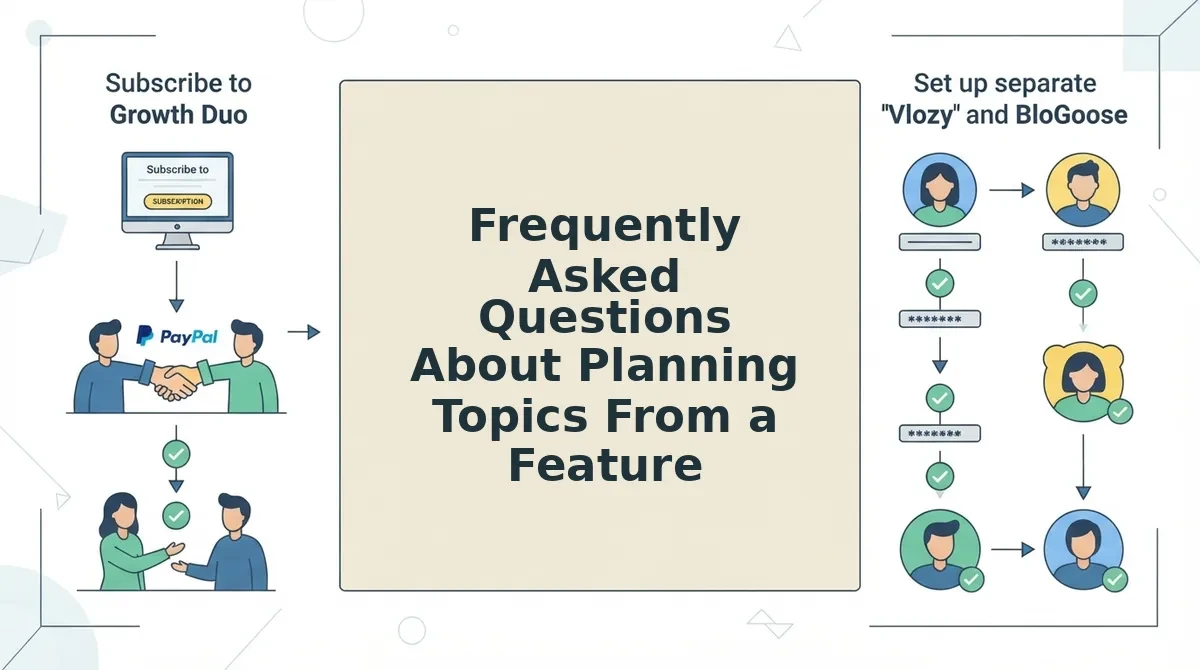
Frequently Asked Questions About Planning Topics From a Feature
These answers cover the questions the earlier steps leave open, from article limits to turning one feature into video.
How many articles can one feature support before they overlap?
One feature supports as many articles as pass the one-question test, usually up to the six angles on your map. Once two titles answer the same question for the same intent, stop adding topics and merge them instead.
Do I still need keyword research if I start from a feature?
Yes, but use it to validate, not originate. The feature gives you the questions; keyword data confirms customers ask them and shows the words they use. Rephrase any title that no searcher would type.
How does one feature become both an article and a short video?
Pair each angle with a format. For appointment reminders, the setup how-to goes into BloGoose as a draft, and a matching clip goes into Vlozy. You review both before publishing. See how to make a short product video for one new feature.
Should every feature get its own topic cluster?
No. Build clusters for features that solve a distinct customer problem, and fold minor tweaks into existing posts. The same judgment applies to video, as covered in should every product update get its own short video.
Turn Your Next Feature Into a Content Plan
One feature becomes a full content plan when you map it, test it, and publish in intent order. The six-angle map gives you the topics, and the overlap test keeps them from competing.
Pick one feature this week, fill the six-angle map, run the one-question test, and publish the problem post first. Setup and comparison posts land better once readers recognise the problem.
I built Verthilix tools so you stay in control. You review the facts, the words, and what goes live. The Growth Duo subscription covers BloGoose articles and Vlozy clips in one PayPal subscription, with separate logins for each tool.
For more practical guides, read The Verthilix Journal. Your next feature is already a content plan waiting to be mapped.