
You pay for a short-video tool on one card and an article tool on another, so every month you reconcile two receipts from two checkouts. That setup is messy, and wanting it fixed is reasonable. A content software subscription with PayPal can replace both bills with one recurring payment.
One PayPal subscription, the Growth Duo, gives you access to Vlozy for short videos and BloGoose for researched articles. Each tool keeps its own login, and you review and approve everything before it is published. The subscription simplifies billing without handing over control of what goes live.
I'm Roktim Saha. I built the Duo so founders could turn website content into short videos and articles without juggling vendors. Verthilix is founder-led software for business growth, built in India and backed by my 12+ years in software engineering. Not an agency.
Below, you'll find what the subscription includes, the four steps to subscribe, the checks that confirm it works, and how to choose between the bundle and a single tool. Keep reading for the part most bundles get wrong: who hits publish.
What does a content software subscription with PayPal include?
It includes one recurring PayPal payment that unlocks two tools: Vlozy for short videos and BloGoose for researched articles. You still sign in to each tool separately and approve every output yourself.
A content software subscription with PayPal is a single recurring plan, billed through PayPal, that grants access to content-creation tools. Recurring billing is a charge repeated each billing cycle. An automatic payment is a merchant you have authorized in PayPal to charge you on that cycle.
The Growth Duo is the Verthilix subscription that pairs two tools. Vlozy turns what your website explains into short videos, and BloGoose turns it into researched articles.
Think of it like a gym membership that covers two buildings. You pay once at the front desk, but each door has its own key card.
| Layer | What it covers | Who handles it |
|---|---|---|
| Billing | One PayPal recurring payment for both tools | PayPal |
| Access | A separate Vlozy login and a separate BloGoose login | Each tool |
| Control | Reviewing the facts and words, then approving what goes live | You |
What you need before subscribing
- A PayPal account to authorize the recurring payment
- A website whose pages already explain your product
- WordPress, if you want BloGoose to publish articles to your site
Here is how the bundle works in practice. A founder wants one product feature explained two ways: as a short clip for social feeds and as a longer article for search. Instead of buying two tools at two checkouts, they subscribe once to the Growth Duo through PayPal. That single payment gives them access to Vlozy for the video and BloGoose for the article. Both tools work from the same feature page on their website. The founder then reviews each draft, corrects any facts or wording, and approves what goes live.
How to subscribe and access both tools step by step
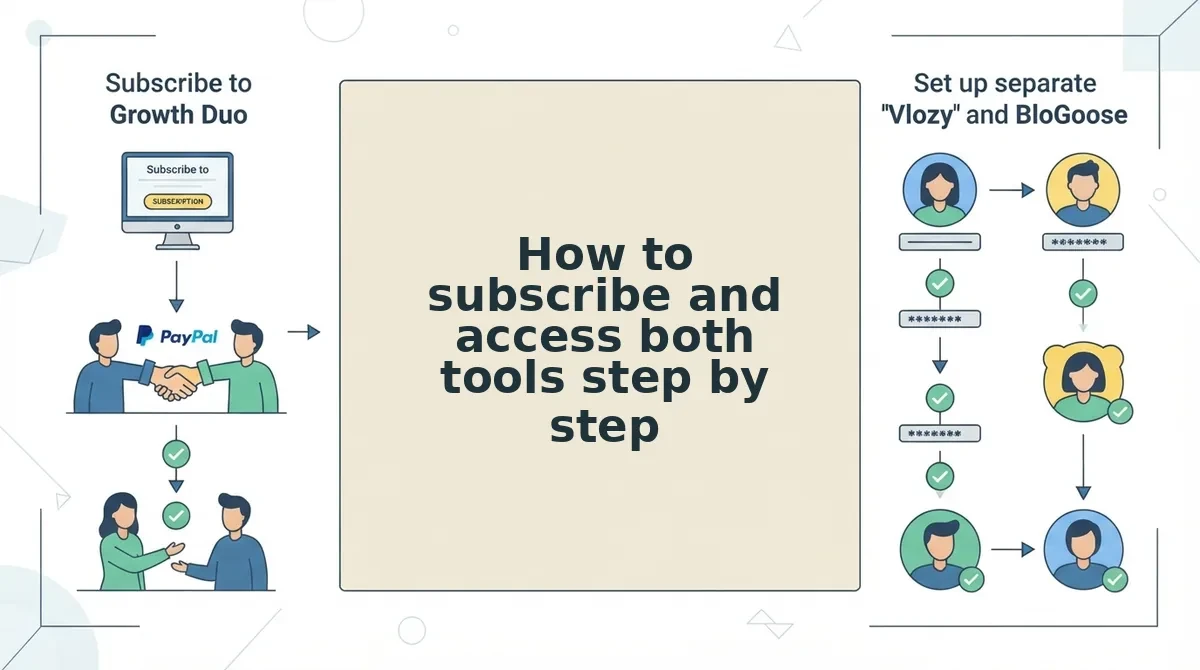
Subscribing takes four steps. Choose the Growth Duo, approve the recurring payment in PayPal, receive access details for Vlozy and BloGoose, and then sign in to each tool with its own login.
Before you start, have your PayPal login ready. You should also know which website pages explain your product, and have WordPress access if you plan to publish articles. PayPal's own subscription payment tutorial covers the generic checkout. This section covers what happens after checkout for a content bundle.
- Open the Growth Duo page and choose the subscription. Go to the Growth Duo subscription page and select the subscribe option. You should be redirected to a PayPal checkout window.
- Approve the recurring payment in PayPal checkout. Sign in to PayPal, review the billing details, and confirm the subscription. This takes about as long as a normal PayPal login. You should see a confirmation that the subscription is active. This PayPal subscription is the only billing relationship for both tools.
- Receive your access details for Vlozy and BloGoose. Check the inbox linked to your PayPal account for access information covering each tool. You should have separate details for Vlozy and for BloGoose.
- Sign in to each tool and start your first task. Log in to Vlozy with its own credentials and point it at a page that explains your product. Then log in to BloGoose separately and connect WordPress for article publishing. You should see each tool ready to draft content for your review.
Pro tip: Label the subscription clearly in your records, for example as "Growth Duo: Vlozy + BloGoose." That way, the bundle is easy to spot among your PayPal automatic payments.
Once both logins work, you can turn the pages your website already has into short videos and researched articles, all under one bill. Next, confirm that everything is running correctly.
How to check your subscription is working
Your subscription is working when three things are true: the Growth Duo appears as an active automatic payment in PayPal, both Vlozy and BloGoose let you sign in, and each tool completes one real task. Run these four checks in order during your first session after subscribing.
- Confirm the payment in PayPal. Open your PayPal settings and find the automatic payments list. The Growth Duo should appear there as an active payment to Verthilix, and this is also where you view or stop future charges. PayPal sometimes moves or renames menus, so if you cannot find the list, search for "automatic payments" in your settings.
- Sign in to each tool separately. Log in to Vlozy and BloGoose with their own credentials and confirm that both dashboards load. Separate logins can feel like extra work, but they keep each workflow focused. All-in-one suites often bury the one feature you need under many you never use, so Verthilix builds each tool for a specific task instead.
- Run one task in each tool. In Vlozy, make a short clip about a single feature. In BloGoose, generate a draft after it reads your site pages. A finished output from each tool shows that your access works end to end, not just the login screen.
- Review and approve before anything goes live. Check the facts, confirm the words match your brand voice, and publish only when you approve. For clips, use the guide on what to check before a short product video goes live. For articles, follow the tips on how to write in your brand voice.
Does a content software subscription publish articles for you automatically? No. You hit publish, not the tool. In a typical run, BloGoose reads the pages your website already has, such as a product page and an about page, and drafts an article from what those pages explain. The owner then checks every claim against how the business actually works, edits any phrasing that does not sound like the brand, and approves publishing only when the draft is accurate. That approval step is the control point that keeps automated drafting from turning into automated mistakes.
Your website may already explain what you sell, but you may not have time to turn it into videos and articles. The Growth Duo runs both workflows on one PayPal payment and leaves final approval with you.
Should you choose the Growth Duo or a single plan?
Choose the Growth Duo if you need both short videos and researched articles on one bill. Choose an individual Vlozy or BloGoose plan if you need only one of them. Verthilix sells individual plans as well as packages, so you never have to buy a bundle.
| Need video | Need articles | Want one bill | Best for |
|---|---|---|---|
| Yes | No | Not relevant | Individual Vlozy plan: founders who mainly demo product features |
| No | Yes | Not relevant | Individual BloGoose plan: teams that grow through search and written guides |
| Yes | Yes | Yes | Growth Duo: small teams that want both workflows on one PayPal payment |
| Yes | Yes | No | Two individual plans: businesses that budget video and writing separately |
For example, a team that publishes only blog content picks an individual BloGoose plan. That gives them researched articles without paying for video they would never use, which is the logic behind choosing one tool, not a suite. You can browse individual Verthilix tools to compare them.
Whichever option you pick, you can cancel the same way. Stop the payment from PayPal automatic payments, then read the refund policy for the terms that apply.
Start with one subscription and keep control of publishing
The setup has three layers: one PayPal payment, two focused logins, and your approval before anything goes live. That last layer answers the question this guide opened with. The software drafts, and you decide what gets published.
As the founder, I watch where people get stuck, whether that is finding a payment in PayPal or reviewing a first draft. I improve Vlozy and BloGoose based on those sticking points. A named person is responsible for these tools, and that accountability is the difference between a product company and an agency. â Roktim Saha, founder of Verthilix
Your next step is to start the Growth Duo subscription and run one clip and one article through the checklist above. If you want to sharpen your process first, read more practical content workflow guides in the Journal.
Your website already explains your business well, and this setup helps you turn that knowledge into content you have approved.