
The most common feature video mistakes are cramming several features into one clip, opening with a vague hook, never showing the problem, and skipping human review. A feature video is a short clip showing one product capability solving one problem. To fix them, you need one shipped feature, the site page that explains it, and a reviewer.
Most mistake lists blame your editing. Feature clips fail earlier.
When you ship fast, video comes last, squeezed in after the release goes live. That's normal, and it's where scope slips.
The most-viewed mistake videos, such as HillierSmith's (1,853,462 views) and Full Time Filmmaker's (1,545,993 views), focus on editing and filming craft, judging by their titles. Polish won't save a clip that tries to explain three features at once.
I build Vlozy and watch where founders struggle. Below is a fix list for 7 mistakes, covering scope, hooks, captions, and review. It ends with a 3-question test, and the last question isn't about video at all.
Start small. If your pricing page already explains one feature, pick only that feature. For the full walkthrough, see how to explain a new feature to customers.
How to Fix the Scope and Hook Mistakes Before You Record
Fix scope and hook mistakes by choosing one feature, naming the viewer's problem in the first line, showing that problem before the interface, and cutting the intro card. All four fixes happen before you record, in about 30 minutes.
Before you start: have your release notes, the site page that explains the feature, and a text document for your script open.
- Pick one feature per clip (10 minutes). Open your release notes and list every feature on its own line. Give each line its own clip. A release with three features becomes three clips, not one crowded tour. You should end up with a list where every clip names exactly one feature. Not sure a small change deserves a clip? See whether to give each product update its own short video.
- Replace the vague hook (10 minutes). A hook is the first line or frame, and it states the viewer's problem. Copy the problem sentence from your feature page and make it your opening line. Your first line should name a situation the viewer recognizes. For more patterns, read how to write a hook for a short product feature video.
- Show the problem before the UI (5 minutes). Script one sentence or frame showing the pain before any screen appears. The viewer should understand why the feature matters before seeing a button.
- Cut the logo or intro card (2 minutes). Delete any opening animation, logo, or "Welcome to" frame. The clip should open on the problem.
| Weak hook | Specific hook |
|---|---|
| Check out our new update | Your website already explains your product. Why aren't you posting videos about it? |
| Introducing our latest feature | Short on time to write articles your customers will actually read? |
| Big things are coming | Tired of juggling separate logins just to create content? |
What mistakes do founders make in short feature videos? Founders shipping fast tend to make four mistakes before they record. They pack several features into one clip, so viewers remember none of them. They open with a vague hook like "check out our update" instead of naming the viewer's problem. They jump straight to the interface without showing the problem the feature solves. And they open on a logo or intro card that wastes the first seconds. The fix is to plan before recording: split each release into one clip per feature, write a problem-first hook, show the pain, then show the product.
Keep this rule taped above your desk: one clip, one feature, one next step.
If writing is your bottleneck too, BloGoose turns what your site already explains into researched articles. Browse more practical content guides in the Journal.
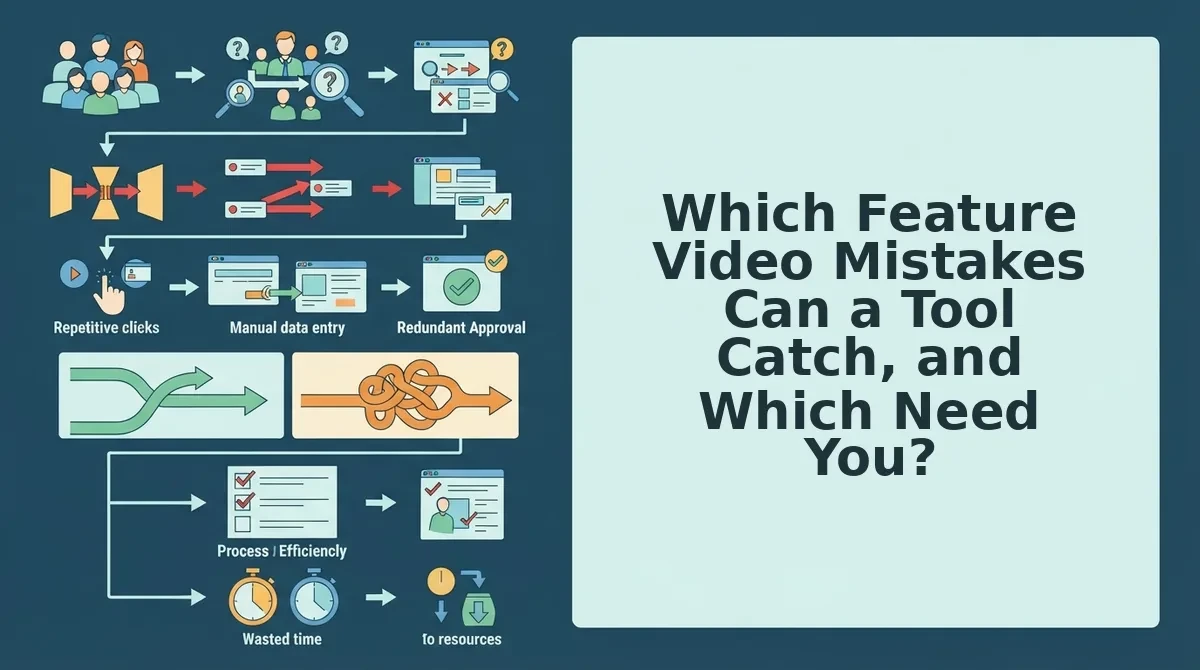
Which Feature Video Mistakes Can a Tool Catch, and Which Need You?
Tools can format captions and enforce structure, but only a human can confirm the facts, the words, and the claims. That splits the 7 mistakes into two groups.
Mistake 5 is assuming sound is on, so add captions for product videos and on-screen text. Mistake 6 is ending without one next step. Mistake 7 is skipping human review.
| Mistake | Symptom | Fix | Who catches it |
|---|---|---|---|
| 1. Several features in one clip | Viewers recall nothing | One clip per feature | You |
| 2. Vague hook | "Check out our update" | Name the problem | You, with tool structure |
| 3. No problem shown | Opens on the UI | Show the pain first | You |
| 4. Logo or intro card | Slow first seconds | Open on the problem | Tool |
| 5. Assuming sound is on | Muted viewers lost | Captions and on-screen text | Tool |
| 6. No next step | Clip just stops | End with one action | Tool prompts, you choose |
| 7. Skipped review | Wrong facts go live | Check fact, word, claim | You only |
Do I need to review an AI-generated video before publishing? Yes. An AI tool can draft the script, captions, and structure, but it can't know whether a plan was renamed last week or a claim still holds. Before publishing, run a three-part check. Fact: is every on-screen detail current? Word: does the copy sound like you and match your site? Claim: can you back every promise the clip makes? Picture a reviewer spotting an outdated plan name on screen and fixing it before the clip goes live. That one check is the difference between a useful clip and a support ticket.
Best for founders who need speed: a short product feature video maker like Vlozy, which drafts the clip from your site while you review the facts and words. Best for teams that want full creative control: a traditional video editor, which gives finer control over polish and pacing.
Next, run every clip through one final check.
How to Check Your Clip With the One Feature, One Clip Test
The One Feature, One Clip test is a four-point check you run before publishing. It confirms the clip shows one feature, shows the problem that feature solves, ends on one next step, and makes no claim the source page does not. Any "no" means you re-cut before shipping.
| Check | Yes | No |
|---|---|---|
| Does the clip show one feature? | Keep | Split into separate clips |
| Does it show the problem it solves? | Keep | Add the "before" moment |
| Does it end on one next step? | Keep | Cut extra calls to action |
| Does every claim match the site page? | Publish | Fix the clip or the page |
- Count the features on screen. Watch the clip and list every feature it touches. If the list has more than one item, viewers cannot tell what the clip is about.
- Find the problem moment. Point to the second where the viewer sees the pain the feature removes. Without it, the demo shows clicks instead of value.
- Check the final frame. The clip should close on one action, such as visiting a single page. Two competing asks weaken both.
- Compare claims against the source page. Every on-screen claim should come from the website page it describes. The video and the page cannot contradict each other.
For the wider pre-launch review, see what to check before a short product video goes live.
Feature Video Mistakes FAQ
These answers cover the founder questions that most editing tutorials leave open.
How long should a feature video be?
A feature video should be long enough to complete one task from start to finish, and no longer. Scope sets the length, not a fixed timer. If the clip runs long, you are probably showing a second feature or explaining setup that belongs on the page.
Can one video show several features?
One video should show one feature. Combining features blurs the hook and splits the next step. If several features matter, record one clip for each and link them from the relevant site pages.
Do captions matter if my audience watches with sound on?
Yes, captions still matter. They make the clip readable wherever sound is off, help viewers follow product terms, and keep your wording consistent with the page the clip came from.
Is polished editing the main thing to get right?
No, scope matters more than polish. A clean edit cannot rescue a clip that shows three features and no clear problem. Fix the feature choice, hook, and next step first. Then polish.
Turn One Feature Into One Clip and One Article
Most feature video mistakes start before recording, with scope. So the fix is a workflow, not a better editor: pick one feature, write a specific hook, show the problem, add captions, end on one next step, and review before publishing.
Here is how that works with one site page. Your page describing a single feature becomes one short Vlozy clip and one researched BloGoose article. Both draw on the same source, so they cannot contradict each other. You still review everything before it goes live.
Your next step is to choose the one feature page you most want customers to understand. Then explore the Growth Duo, which pairs short videos and researched articles in one subscription. Every page you have already written can become content that ships fast and stays accurate.