
Most popular video tutorials on finding blog ideas open the same way: they log into Semrush, sometimes as a sponsored walkthrough, and start pulling keyword lists. I start somewhere closer to home. Your website already explains what you sell, who it is for, and how it works, which makes it the most reliable source of blog topic ideas from your website.
A stalled blog is common, especially when every idea feels generic. Keyword tools show what people type into search. They cannot tell you what your product actually does or which claims you can back up.
By the end of this guide, you will have a reviewed topic plan. A topic plan is a short, ordered list of articles, each tied to one page and one reader question. To build it, you need your live homepage, your product or feature pages, an offer or pricing page if you have one, and about an hour.
First, you will inventory your pages. Next, you will map each page type to the posts it produces. Then you will run one test that removes most bad ideas before you write a word. Verthilix is not an agency, so you stay in charge of the facts, the words, and what gets published. You can find more examples in The Verthilix Journal.
How do you find blog topic ideas from your own website pages?
To find blog topics from your own pages, list every live page and label its type. Then write down the customer questions each page answers, keep only the topics a page states facts for, and order those topics into a topic plan. The whole process takes about an hour with a spreadsheet.
Before you start: Open a browser and a blank spreadsheet. You will build a page inventory, which is a list of every live, public page on your site, with its URL, its title, and its page type.
- Open your sitemap and list every live page (15 minutes). Type yourdomain.com/sitemap.xml into your browser. On WordPress, you can also go to Pages, then All Pages. Paste each URL into column A and each page title into column B. Skip drafts and private pages. Success: You have one row for each published page.
- Label each page by type (10 minutes). In column C, give each page one label: homepage, product, feature, offer/pricing, or about. Success: Every row has exactly one label.
- Write down the questions each page answers or raises (20 minutes). Read each page slowly. In column D, write the questions a customer would ask, in their own words. Success: Each page has two to five questions.
- Filter out any question your pages cannot back with facts (10 minutes). Delete each question that has no supporting sentence on a live page. Success: Every remaining topic points to a specific sentence you can quote.
- Order the remaining topics into a topic plan (5 minutes). Put the topics closest to a buying decision first. Keep one article for each page and each question. Success: You have a short, numbered list that you can review in one sitting.
Here is a worked example of how one line becomes three topic lanes. The Verthilix homepage says its products are "for communication, creation, and everyday work." Split that line into three words, and each word becomes its own topic lane. "Communication" leads to posts about explaining a product clearly to customers. "Creation" leads to posts about turning existing pages into videos and articles. "Everyday work" leads to posts about saving time on routine business tasks. Each lane traces back to a sentence that is already published, so every article starts from a stated fact rather than a guess.
Once your plan is ready, you can produce it with practical software for business growth. For example, the Growth Duo pairs BloGoose researched articles with Vlozy short videos built from what your site already explains.
Which page types give you which blog topics?
Each page type produces a predictable type of article. Homepages produce positioning and "who it's for" posts. Product pages produce use-case and comparison posts. Feature pages produce how-to posts. Pricing or offer pages produce "plans vs. packages" posts. Use the table below as your Page-to-Topic Map.
| Page type | What it states | Topic type it produces | Example angle | Best for |
|---|---|---|---|---|
| Homepage | Who you serve and what you do | Positioning and "who it's for" posts | Why a tool might suit you better than an agency | Founders who are still sharpening their message |
| Product page | What one product does and for whom | Use-case and comparison posts | Short video vs. written article | Small teams choosing between formats |
| Feature page | How one capability works | How-to posts | How to set up a feature step by step | Hands-on owners who learn by doing |
| Pricing or offer page | What a plan includes | "Plans vs. packages" posts | One subscription vs. separate tools | Buyers who are comparing cost and scope |
To decide which page to mine first, match the page to the reader's stage. Homepage topics help visitors who are still asking whether you serve people like them. Product and feature topics help readers who already know the problem and want to see how your product solves it. Offer pages answer the final question about what they will pay for and what they will get. Keyword tools such as Semrush are still useful here, because they show how often people search for each angle. Your own pages, however, supply the facts that make each article trustworthy and accurate.
Homepage and positioning pages
Your homepage gives you broad, audience-first topics. To start, browse the Verthilix product family and look at how a single positioning line can open several topic lanes.
Product and feature pages
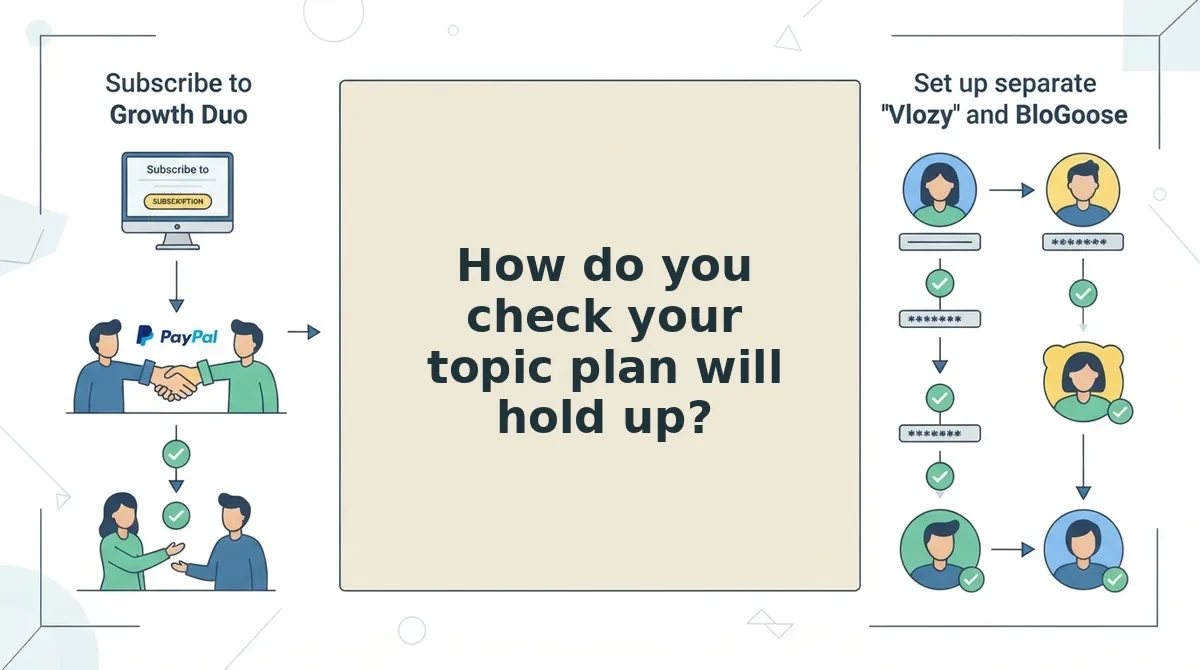
Product and feature pages give you specific, practical topics. For example, the Growth Duo page states one fact: Vlozy short videos plus BloGoose researched articles, on one PayPal subscription with separate logins. That one line produces two topics. The first is a setup explainer about getting into each tool. The second is a comparison of short videos and written articles. Feature pages work the same way, so you can also explain a new product feature in one short video.
With your map filled in, the next step is to test whether the plan holds up.
How do you check your topic plan will hold up?
Run every topic through three tests before you write: the verifiable-fact test, the single-intent test, and the cluster test. A topic that passes all three rests on something your site already says, answers one question, and fits a group of related posts.
The verifiable-fact filter is a rule that keeps a topic only if a live page on your site states the fact the article will rest on. Think of it like a recipe card: if an ingredient isn't in your pantry, you can't promise the dish.
The three-test checklist
- Verifiable-fact test: Point to the exact page and sentence that supports the article's main claim. If you can't, drop the topic or update the page first.
- Single-intent test: Check that the topic answers one reader question, such as "how do I set this up?" or "is this right for me?", not both.
- Cluster test: Confirm the topic sits beside at least one related post or page, so readers and search engines see a connected subject rather than a one-off.
Four common problems and their fixes
- Thin site: Few pages means few facts. Expand one strong page with specifics before you plan more posts.
- Two pages, one topic: Content cannibalization is when two of your pages compete for the same search, which weakens both. Merge the ideas into one article and link the pages to it.
- Feature page with no "why": Topics drawn from the page list functions but give readers no reason to care.
- Off-offer drift: Topics wander toward subjects you don't sell. Cut any topic that doesn't lead back to a page you offer.
Here is a worked example. Your feature page says "exports to PDF" but never says that this saves clients a reformatting step. Add that benefit to the page first, and the article now has a fact to stand on.
When you're ready to draft, write a blog post in your brand voice. BloGoose reads your site before drafting and plans topics. You still review the facts, the wording, and what gets published.
Topic ideas from your pages, answered
These answers cover the questions people ask most often after they plan topics from their own pages.
Do I still need keyword tools if I use my own pages?
Yes, but use them second. Your pages supply the facts you can credibly stand behind. Keyword tools then confirm whether people actually search for those topics. Work inside-out first and outside-in second, because tools show demand but can't tell you what your business is able to say truthfully.
What if my site only has a homepage?
Start with the homepage's sections. Each claim, such as who you serve, what you sell, or why you're different, can seed one topic. If a claim is too thin to support an article, expand it on the homepage or add a dedicated page before you write about it.
How many blog topics can one page give me?
One page typically gives you as many topics as it has distinct, verifiable facts that answer separate reader questions. A detailed product page may support several posts. A short page may support one. Stop when two ideas start answering the same question, because that creates overlap.
How often should I re-scan my pages for new topics?
Re-scan whenever a page changes, for example after a new feature ships or your pricing page is updated. Each change adds new facts, and those facts can become new topics. Updating also shows you which existing posts now need corrections.
Turn your topic plan into articles and short videos
A single page inventory can feed both written articles and short videos. Every fact that passes the verifiable-fact filter is ready for a blog post and a short clip.
Your next step is to take your three strongest checked topics and publish them in both formats. The Growth Duo subscription pairs BloGoose researched articles with Vlozy short videos built from the same page knowledge. It runs on one PayPal subscription, with separate logins for each tool.
You stay in control of what gets published. The pages you already wrote can keep producing content for as long as you keep them accurate.